




Table of Contents
◉ Introduction ◉ The Practical Answer ◉ Reader Roadmap ◉ What the Adobe Firefly Brand Kit Workflow Actually Does ◉ Firefly AI Assistant and Adobe Express Play Different Roles ◉ Who Will Get the Most Value From It? ◉ Prerequisites Before You Start ◉ Step by Step: Create a Brand Kit With Adobe Firefly ◉ A Better Prompt for Brand Kit Generation ◉ Practical Example: A Local Coffee Subscription ◉ Advantages, Limitations, and Real Tradeoffs ◉ Trademark and Originality Checks ◉ Privacy, Security, and Data Handling ◉ Pricing and Plan Considerations ◉ Alternatives and Complementary Approaches ◉ Common Mistakes and How to Fix Them ◉ Troubleshooting Firefly Brand Kit Results ◉ Frequently Asked Questions ◉ Final Decision: Use Firefly for Direction, Not Blind Approval ◉ Sources
Creating a visual identity usually means moving among brainstorming documents, logo tools, color-palette generators, font libraries, and design templates. Adobe’s newer Firefly workflow attempts to compress those tasks into one conversation: describe the business, define the desired personality, review generated directions, and save selected brand elements for later use.
The feature is more accurately described as brand kit creation inside Firefly AI Assistant, rather than a separate product called “Adobe Firefly Brand Kit Generator.” As of July 2026, Firefly AI Assistant remains a beta feature available to eligible Creative Cloud Pro and paid Firefly customers. It can generate logo concepts, color directions, typography recommendations, and broader visual guidelines, then save approved elements to a Creative Cloud brand that can be used in supported applications such as Adobe Express (Adobe, 2026). (helpx.adobe.com)
That makes it useful for founders, independent creators, small businesses, and marketing teams that need a coherent starting point quickly. It does not eliminate the need for design judgment, accessibility testing, trademark research, or professional production work. This guide explains what the generator actually does, how to use it effectively, where Adobe Express fits into the workflow, and what to review before treating an AI-generated identity as finished.
The Practical Answer
Adobe Firefly AI Assistant can help you produce an initial brand system by turning a conversational brief into logo concepts, brand colors, font recommendations, and visual guidelines. Adobe says the resulting assets can be saved to a Creative Cloud brand and accessed in supported apps such as Adobe Express (Adobe, 2026). (helpx.adobe.com)
The strongest use case is rapid brand exploration. Instead of beginning with a blank canvas, you can compare several creative directions, refine one through follow-up prompts, and apply the selected colors and fonts to sample content.
The result should be treated as a structured first draft, not automatic proof that the logo is distinctive, legally available, accessible, or ready for every production environment.
For a dependable workflow, use Firefly to generate and refine the identity, Adobe Express to organize and apply the brand system, and human review to validate originality, readability, scalability, and business fit.
Reader Roadmap
• What Firefly’s brand kit workflow creates, so you know what the term “complete brand identity” does and does not mean.
• How Firefly AI Assistant and Adobe Express work together, so you do not confuse AI generation with long-term brand management.
• How to write a useful brand prompt, review logo concepts, and develop a practical color and typography system.
• Which legal, accessibility, privacy, and production checks still require human attention.
• How to decide whether the workflow is sufficient for your business or whether you need a professional designer.
What the Adobe Firefly Brand Kit Workflow Actually Does
Adobe introduced brand kit creation as a skill inside Firefly AI Assistant. You provide a brand name, business description, aesthetic direction, values, and other relevant context. The assistant can then propose brand colors, fonts, logo concepts, and guidelines for areas such as photography, tone of voice, and channel usage (Adobe, 2026). (helpx.adobe.com)
The process is conversational. You can reject a palette, ask for a quieter typography direction, request a new logo concept, or tell the assistant to preserve one element while changing another. Adobe’s documentation specifically describes reviewing color directions, choosing colors and fonts from picker menus, requesting logo concepts, and submitting follow-up refinements (Adobe, 2026). (helpx.adobe.com)
Once you approve the direction, Firefly can save the following to a Creative Cloud brand:
• Logos and graphics
• Color swatches and palettes
• Fonts
• Voice and tone guidance
• Photography guidance
• Channel-specific guidelines
These saved elements can become available in future Firefly sessions and supported Creative Cloud applications, including Adobe Express (Adobe, 2026). (helpx.adobe.com)
That final point matters. A folder containing a logo image and three HEX codes is not yet an operational brand system. Saving assets to a shared brand workspace makes it easier to reuse them in social graphics, presentations, ads, documents, and other recurring content.
The interface shown above would be most useful at the exploration stage, when you are comparing visual directions rather than polishing final artwork.
Firefly AI Assistant and Adobe Express Play Different Roles
Firefly AI Assistant is the ideation and orchestration layer. Adobe Express is the practical content-production and brand-management layer.
In Firefly, you can describe an outcome and let the assistant coordinate several creative tasks. In Adobe Express, you can store logos, colors, fonts, graphics, and templates inside a brand, share those assets, and apply selected brand settings to designs (Adobe, 2025–2026). (helpx.adobe.com)
This distinction helps prevent a common misunderstanding: generating a visual identity does not automatically create every asset your organization will need. You may still need to build templates, refine logo files, define spacing rules, establish color combinations, and create examples of correct and incorrect usage.
A useful way to divide the workflow
| Stage | Primary tool | Best use | Human responsibility |
|---|---|---|---|
| Brand definition | Firefly AI Assistant | Translate business goals into creative directions | Clarify audience, positioning, values, and differentiation |
| Logo exploration | Firefly AI Assistant | Generate and compare concepts | Check originality, legibility, relevance, and trademark risk |
| Color and type selection | Firefly plus Express | Explore combinations and save approved choices | Test contrast, hierarchy, licensing, and practical use |
| Brand storage | Adobe Express Brands | Centralize logos, fonts, palettes, graphics, and templates | Organize versions and control access |
| Content production | Adobe Express and other Creative Cloud apps | Apply the identity to real deliverables | Review quality and maintain consistency |
| Advanced refinement | Illustrator, Photoshop, or a designer | Prepare production-ready artwork and variants | Correct technical details and create master files |
Who Will Get the Most Value From It?
The workflow is particularly useful when speed and structure matter more than immediate originality at an agency level.
Good candidates
• A founder validating a new business idea who needs credible launch materials before investing in a complete identity program.
• A creator who has a clear audience and content strategy but no consistent colors, fonts, or visual language.
• A small business that already has product photography but needs a coherent identity for packaging, social posts, and promotional videos.
• A marketing team exploring several campaign identities before selecting one for professional refinement.
• A nonprofit, club, classroom project, or internal initiative that needs a functional visual system without a long branding engagement.
Who may need more than the generator
• Established businesses undergoing a high-stakes rebrand.
• Regulated organizations with extensive legal, compliance, or accessibility requirements.
• Companies entering crowded markets where trademark clearance and distinctive brand assets are critical.
• Products that require sophisticated packaging, environmental graphics, wayfinding, or multilingual typography.
• Organizations that need detailed brand architecture covering several products, sub-brands, regions, or audiences.
AI can accelerate the creation of options. It cannot conduct stakeholder interviews, resolve internal positioning disagreements, or decide which strategic tradeoffs the company should make.
Prerequisites Before You Start
You will get better results if you prepare a concise brand brief instead of asking Firefly to “make a modern logo.”
At minimum, gather:
• Your final or working brand name
• A one-sentence description of what the business offers
• The primary audience
• The problem the product solves
• Three to five personality traits
• Visual styles you want to avoid
• Required wording, symbols, or product details
• Examples of where the identity will appear
• Any existing product, packaging, or photography assets
Adobe’s own workflow recommends beginning with a brand name and a general aesthetic direction, with optional details such as a tagline, values, and desired personality (Adobe, 2026). (helpx.adobe.com)
You also need access to Firefly AI Assistant. During its public beta, Adobe limits access to Creative Cloud Pro and eligible paid Firefly plans, including Firefly Pro, Pro Plus, and Premium. Availability and entitlements may change, so Adobe’s current plan documentation should be treated as the source of truth (Adobe, 2026). (blog.adobe.com)
Adobe Express offers brand-management capabilities separately, including manual brand creation and extraction of elements from uploaded materials. That means you can still organize an existing identity in Express even when you are not using the Firefly AI Assistant workflow (Adobe, 2026). (helpx.adobe.com)
Step by Step: Create a Brand Kit With Adobe Firefly
1. Define the strategic foundation before requesting visuals
Write a short paragraph covering the business, audience, promise, personality, and competitive context.
Why it matters: design adjectives such as “modern” or “premium” are too broad by themselves. Explaining the audience, use cases, and exclusions gives the assistant meaningful boundaries.
Practical tip: describe what the brand should communicate before describing what it should look like.
2. Open Firefly AI Assistant and begin a brand conversation
Start a new chat in Firefly AI Assistant and state that you want to create a brand identity. Add your brand brief and upload relevant product images when they meaningfully represent the product or desired aesthetic.
Adobe documents a similar process: begin a new conversation, provide the brand name and personality, and let the assistant propose the next brand-development steps (Adobe, 2026). (helpx.adobe.com)
Warning: do not upload confidential client files, unreleased financial information, personal data, private customer records, or assets you do not have permission to use.
3. Request multiple creative directions before choosing one
Ask for three genuinely different directions rather than several minor variations of the same idea.
A useful prompt is:
Propose three distinct identity directions. For each, explain the central visual idea, likely color mood, typography character, logo approach, and the business impression it creates. Do not generate final assets until I select a direction.
This gives you a decision point before generation. One direction might emphasize trust and structure, another warmth and accessibility, and another speed and technical competence.
Avoid choosing solely because one concept looks attractive in isolation. Select the direction that best supports the positioning and still works in the environments where the brand will appear.
4. Generate and evaluate logo concepts
After choosing a direction, ask Firefly to generate several logo concepts. Adobe’s help documentation notes that you can explicitly request a logo concept and continue refining a selected option through conversational instructions (Adobe, 2026). (helpx.adobe.com)
Evaluate each concept at three sizes:
• Large, as it might appear on a presentation cover
• Medium, as it might appear in a website header
• Small, as it might appear in a social profile or browser tab
A usable logo should remain identifiable without depending on tiny details, subtle textures, or complex gradients.
Also ask:
• Does it look appropriate for the audience?
• Could it be mistaken for a competitor?
• Does it still work in one color?
• Is the name readable?
• Does the symbol have unintended meanings?
• Can the mark function without the full wordmark?
Do not select a logo simply because it is the most visually elaborate.
5. Build a functional color system
Ask Firefly for a palette that assigns roles, not just a collection of attractive swatches.
A practical starter system might include:
• Primary brand color
• Secondary brand color
• Accent or call-to-action color
• Dark neutral
• Light neutral or background
• Optional semantic colors for success, warning, or error states
Adobe Express lets users add named color themes and indicates that colors entered first may be used more frequently when applying the brand to a design (Adobe, 2025). (helpx.adobe.com)
Request HEX values for screen use, but do not stop there. Test the combinations you expect to use for text, buttons, backgrounds, and charts. WCAG 2.2 specifies a minimum contrast ratio of 4.5:1 for most normal-sized text and 3:1 for qualifying large text (W3C, 2024). (w3.org)
The palette illustration above should show functional pairings rather than isolated color chips. That makes it easier to identify which combinations are suitable for headlines, body copy, buttons, and backgrounds.
6. Select typography by role
Choose fonts for specific jobs:
• Display or headline font
• Body font
• Optional accent font
• Fallback font for platforms where the preferred typeface is unavailable
Prioritize readability and availability over novelty. A distinctive display face may work for large headings but become difficult to read in presentations, mobile interfaces, or long documents.
Ask Firefly to explain why each recommendation fits the identity. Then test real text rather than a sample alphabet. Use a headline, a paragraph, a price, a date, and a call-to-action button.
Adobe Express can store heading and body fonts in a brand and apply those roles to a design. When Apply Brand is used, the heading font is applied to main titles and the body font to other text elements (Adobe, 2025). (helpx.adobe.com)
7. Turn the selected direction into rules
A useful brand kit needs rules that reduce future decisions.
Ask Firefly to document:
• Primary and secondary logo usage
• Minimum clear space around the logo
• Small-size alternatives
• Approved background treatments
• Color roles and combinations
• Headline and body typography
• Photography mood
• Illustration style
• Icon style
• Voice and tone
• Examples of off-brand usage
Adobe says Firefly AI Assistant can save guidance for voice, tone, photography, and channels in addition to visual assets (Adobe, 2026). (helpx.adobe.com)
Treat those guidelines as draft policy. Review them for contradictions. For example, a brand cannot credibly be described as both restrained and visually aggressive unless the rules explain where each mode applies.
8. Save and organize the brand in Adobe Express
Firefly can save approved assets to a Creative Cloud brand. In Adobe Express, brands can contain logos, colors, fonts, graphics, and other reusable assets (Adobe, 2026). (helpx.adobe.com)
Organize the files deliberately:
• Label the primary and secondary logos
• Separate horizontal, stacked, icon-only, black, white, and full-color variants
• Name palettes by purpose
• Identify heading and body font roles
• Add approved graphics and background patterns
• Archive rejected or outdated concepts outside the active brand
Adobe recommends gathering logo variants in multiple layouts and formats rather than relying on one master image for every use case (Adobe, 2026). (adobe.com)
9. Test the identity on real content
Create at least three realistic assets before approving the system:
-
A square social post
-
A presentation or document cover
-
A mobile-sized promotional graphic
You could also test a business card, email header, product label, invoice, landing-page hero, or video title card.
Adobe Express can apply brand colors and fonts across a design, recolor eligible graphics, apply changes to multiple pages, and shuffle combinations for review. Some options vary by content type; for example, Adobe notes that graphic recoloring is not available for certain multi-page applications (Adobe, 2025). (helpx.adobe.com)
The mockups above are where weaknesses become visible. A palette that looks elegant as five swatches may fail when used for buttons, small text, charts, or photo overlays.
A Better Prompt for Brand Kit Generation
Use a prompt that gives Firefly business context, creative constraints, and a clear output structure:
Create an initial brand identity for [brand name], a [business or product description] serving [primary audience].
The brand should communicate [three to five qualities]. It should not feel [undesired qualities or visual clichés].
Primary use cases are [website, social media, packaging, presentations, video, print, or other formats].
Develop three distinct creative directions. For each direction, provide:
• A one-paragraph concept explanation
• A logo approach
• A five-color functional palette with HEX values
• A headline and body-font recommendation
• Photography or illustration guidance
• The strengths and risks of the directionKeep the concepts simple enough to remain recognizable at small sizes. Do not imitate named brands or living artists. Wait for my selection before creating a finalized brand kit.
This structure forces the assistant to explain its reasoning at an editorial level without asking it to reproduce a competitor’s identity.
Practical Example: A Local Coffee Subscription
Consider a fictional company called Sunday Mile Coffee, which delivers small-batch coffee to remote workers.
A weak prompt would be:
Make a cool coffee logo with earthy colors.
A stronger brief would explain that the company serves customers who want a calm weekend ritual during the workweek. The visual identity should feel warm, intentional, and contemporary, but not rustic, luxury-focused, or visually similar to a traditional café.
Firefly could then explore directions such as:
• A typographic identity inspired by editorial magazines
• A simple route or horizon symbol that refers indirectly to “Mile”
• A quiet geometric system built around recurring delivery and routine
The owner might choose the editorial direction, use a dark brown as the primary color, a muted cream for backgrounds, and a controlled orange accent for subscription buttons.
The next step would not be immediate publication. The owner should test the logo on coffee labels, shipping boxes, a mobile checkout page, and a one-color stamp. A symbol that works on a website may become unreadable when printed at one inch wide.
That testing step is where a generated concept begins becoming a usable identity.
Advantages, Limitations, and Real Tradeoffs
Where the workflow is strong
• Faster exploration: You can compare several creative directions without manually building each one.
• Connected workflow: Approved elements can move into a shared Creative Cloud brand and supported Adobe applications.
• Conversational refinement: You can request targeted changes without restarting the entire process.
• Broader identity coverage: The workflow can address color, typography, imagery, tone, and channel guidance—not only a logo.
• Useful for non-designers: Structured options can help users explain preferences they would otherwise struggle to articulate.
Where it remains limited
• Beta availability: Firefly AI Assistant is still labeled beta, so behavior, access, and capabilities may change (Adobe, 2026). (helpx.adobe.com)
• Similarity risk: Generated concepts can still resemble common visual conventions or existing marks.
• Uneven strategic depth: The assistant knows only the context you provide. It does not automatically understand internal politics, customer research, or unstated market constraints.
• Production requirements: Complex logos may still need redrawing, spacing corrections, vector preparation, print testing, and file-format management.
• No automatic legal clearance: Generating a mark does not establish trademark availability or protectability.
• No automatic accessibility approval: An attractive palette may still produce unreadable combinations.
Trademark and Originality Checks
An AI-generated logo should not be treated as legally cleared.
Before committing to a name or symbol, search for confusingly similar word marks and design elements. The U.S. Patent and Trademark Office provides a federal trademark search system and advises applicants to search design elements when a proposed mark includes a logo or image (USPTO, 2023–2024). (uspto.gov)
A basic review should include:
• Exact and similar brand-name searches
• Alternate spellings and pronunciations
• Competitors in related goods or services
• Image searches for similar symbols
• Domain and social-handle checks
• Review of the logo’s prominent design elements
The USPTO’s image-search feature can help surface visually similar registered or pending marks, but database searching can be complex. For a high-value launch, consider consulting a qualified U.S. trademark attorney. This article does not provide legal advice.
Privacy, Security, and Data Handling
Creating a brand kit may involve uploading product images, draft packaging, brand plans, or unreleased creative assets. Treat those files as business data.
Adobe states that it does not train its Firefly generative AI models on Creative Cloud subscribers’ personal content. Adobe says its commercial Firefly models are trained on licensed material, including Adobe Stock, and public-domain content where copyright has expired (Adobe, 2026). (helpx.adobe.com)
That policy does not remove the need for internal controls.
Use the following precautions:
• Upload only files needed for the task.
• Remove customer names, personal information, internal pricing, or confidential annotations.
• Confirm that you own or are authorized to use uploaded photography, fonts, logos, and reference assets.
• Review sharing permissions before inviting collaborators.
• Limit editing access to people who need to change core brand assets.
• Keep a separate archive of approved master files.
• Review Adobe’s current terms and privacy documentation before using the system for confidential or regulated work.
Adobe Express supports brand sharing and role-based access, while additional administrative controls are available for certain organizational plans (Adobe, 2025–2026). (helpx.adobe.com)
Adobe also applies Content Credentials to qualifying Firefly-generated assets. Content Credentials are tamper-evident metadata that can provide information about how a file was created or edited, including the use of generative AI (Adobe, 2025–2026). (helpx.adobe.com)
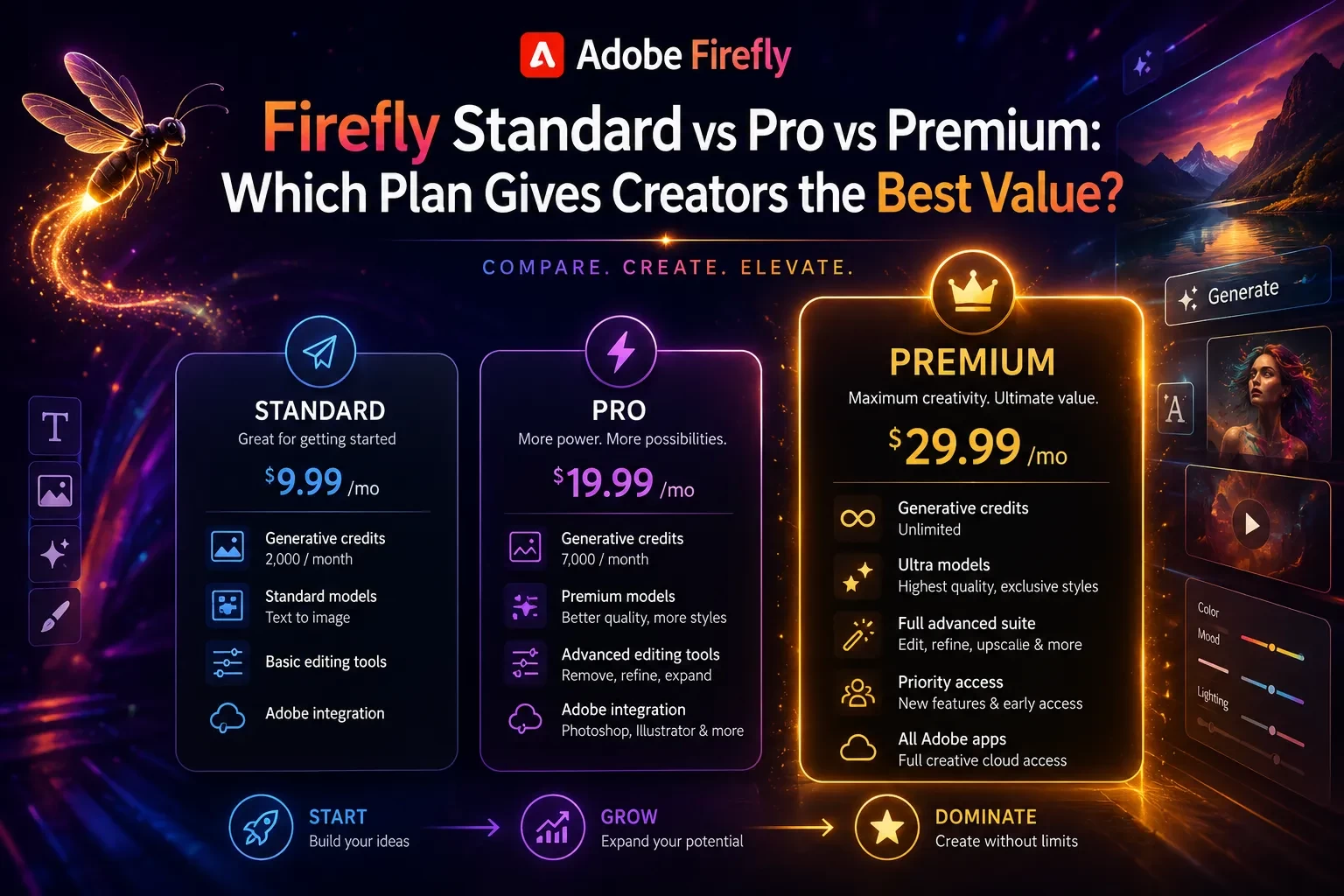
Pricing and Plan Considerations
Do not select an Adobe plan based only on the phrase “brand kit.”
There are at least two different needs to evaluate:
• AI-generated brand creation: Firefly AI Assistant access is currently associated with Creative Cloud Pro and eligible paid Firefly plans during the beta (Adobe, 2026). (blog.adobe.com)
• Brand storage and application: Adobe Express offers brand-kit and brand-management capabilities, with the exact feature set depending on the plan. Adobe identifies brand kits as part of the Express Premium feature set, while certain controls, templates, and enterprise permissions may require Teams or Enterprise plans (Adobe, 2026). (helpx.adobe.com)
Before paying, verify:
• Whether Firefly AI Assistant is included in the plan
• Whether the account receives the necessary generative credits
• How many brands you can create or manage
• Whether you can upload custom fonts
• Whether brand sharing is included
• Whether you need locked templates or brand restrictions
• Whether collaborators need their own licenses
• Whether the plan supports your required apps and export workflow
Pricing, promotional offers, credits, and regional availability can change. Check Adobe’s official plan pages immediately before subscribing.
Alternatives and Complementary Approaches
Firefly is not the only reasonable starting point, and it does not need to handle every stage.
Adobe Express without AI generation
Choose this approach when you already have a logo, approved colors, and fonts. Adobe Express allows you to create a brand manually or extract elements from uploaded materials, then store and apply them to designs (Adobe, 2026). (helpx.adobe.com)
Illustrator plus a professional designer
Choose this when the logo will be a major intellectual-property asset, must support complex production requirements, or needs precise custom lettering and geometry.
Firefly can still help during concept exploration, but the final artwork can be rebuilt and controlled in Illustrator.
A brand strategist and designer
Choose this when the core problem is not “we need visuals” but “we do not agree on who we are, whom we serve, or how we should be positioned.”
A strategist can conduct interviews, competitive analysis, customer research, naming work, and stakeholder alignment before design begins.
A hybrid workflow
For many small businesses, the most practical approach is:
-
Use Firefly for exploration.
-
Select one direction internally.
-
Hire a designer to refine the logo and production files.
-
Store the approved system in Adobe Express.
-
Build reusable content templates.
This preserves much of the speed benefit without treating the first generated concept as the final answer.
Common Mistakes and How to Fix Them
Mistake: Starting with a vague prompt
Symptom: The output looks polished but generic.
Why it happens: The assistant has no specific audience, positioning, constraints, or competitive context.
Fix: Add the business promise, customer, brand personality, use cases, and styles to avoid. Request distinct strategic directions before requesting final assets.
Mistake: Accepting the first logo
Symptom: The logo appears attractive in the Firefly preview but fails in practical use.
Why it happens: It was judged as an image rather than a working identity asset.
Fix: Test it at small sizes, in one color, on light and dark backgrounds, and beside competitor logos.
Mistake: Building a decorative palette
Symptom: The colors look good together, but no one knows which color to use for buttons, text, backgrounds, or alerts.
Why it happens: The palette contains swatches without functional roles.
Fix: Name every color by purpose and document approved text-background combinations.
Mistake: Ignoring accessibility
Symptom: Text becomes hard to read on branded backgrounds.
Why it happens: Color choices were evaluated aesthetically rather than by contrast.
Fix: Test common combinations against WCAG contrast requirements and avoid using color as the only way to communicate meaning (W3C, 2024). (w3.org)
Mistake: Choosing fonts before testing real content
Symptom: The typography works in a logo mockup but becomes tiring or unclear in paragraphs and presentations.
Why it happens: The font was selected for appearance rather than its assigned role.
Fix: Test headlines, body copy, numbers, punctuation, buttons, and mobile layouts before approval.
Mistake: Treating generated output as legally unique
Symptom: The business discovers a similar name or symbol after publishing.
Why it happens: Generation was mistaken for trademark clearance.
Fix: Search word and design marks, review adjacent industries, and obtain professional legal guidance when the brand has significant commercial value.
Mistake: Saving only one logo file
Symptom: The logo works on a white website but fails on dark video, small social icons, or print.
Why it happens: No variant system was created.
Fix: Prepare full-color, one-color, reversed, horizontal, stacked, and icon-only versions as needed.
Mistake: Applying the brand automatically without reviewing each page
Symptom: Express changes colors or fonts in ways that weaken hierarchy or readability.
Why it happens: Automated brand application applies system rules without understanding every local design decision.
Fix: Use Apply Brand as a starting point, then inspect headings, backgrounds, graphics, and contrast on every page. Adobe allows users to adjust which brand components are applied and undo or shuffle combinations (Adobe, 2025). (helpx.adobe.com)
Mistake: Giving too many people editing access
Symptom: Core colors, logos, or fonts change unexpectedly.
Why it happens: Brand governance was treated like ordinary file sharing.
Fix: Separate administrators and editors from people who only need to consume approved templates and assets.
Troubleshooting Firefly Brand Kit Results
The logo concepts are too generic
Add exclusions and category context:
Avoid initials inside circles, abstract spark symbols, leaves, generic arrows, chat bubbles, and checkmarks. Explore a concept based on [specific customer behavior or product benefit].
You can also ask for a wordmark-first direction rather than another symbol.
The assistant keeps changing elements you approved
State what must remain locked:
Preserve the selected wordmark, typography, and dark-blue primary color. Change only the symbol and supporting accent color.
Make one change at a time when the identity is close to approval.
The color palette is attractive but unusable
Ask for a functional revision:
Keep the overall mood, but rebuild the palette around accessible text and background pairings. Label each color by role and identify which combinations should not be used together.
Then verify the combinations independently.
The generated logo text contains errors
Treat generated typography as a concept rather than a final master. Recreate the approved lettering in a design application where spelling, kerning, alignment, and font selection can be controlled precisely.
The brand does not appear in Adobe Express
Confirm that the assets were saved to the intended Creative Cloud account, profile, organization, or project. Adobe accounts can include different personal and organizational profiles, and access can vary depending on where the brand was stored.
If the problem persists, manually create a brand in Adobe Express and upload the approved assets. Adobe supports manual setup as well as extracting brand elements from uploaded content (Adobe, 2026). (helpx.adobe.com)
Apply Brand produces inconsistent layouts
Apply colors and fonts selectively instead of applying every available option. Adobe Express lets you choose whether to apply colors, fonts, recoloring, or changes across all pages (Adobe, 2025). (helpx.adobe.com)
Frequently Asked Questions
Final Decision: Use Firefly for Direction, Not Blind Approval
Adobe Firefly’s brand kit workflow addresses a real problem: many small businesses know they need visual consistency but do not know how to turn a loose idea into an organized identity system.
Firefly AI Assistant can shorten the distance between a business description and a reviewable set of logo concepts, colors, fonts, and guidelines. Adobe Express can then help store those decisions and apply them to everyday content. The combination is most valuable when you use it to accelerate exploration and reduce repetitive setup.
The final approval still belongs to you. A useful identity must support the business strategy, remain readable across formats, avoid legal conflicts, and give future creators clear rules.
Before launching, confirm that you have:
• Written a specific brand brief
• Compared multiple creative directions
• Tested the logo at several sizes
• Prepared one-color and alternate logo versions
• Assigned functional roles to every color
• Verified accessible text-background combinations
• Tested typography with real content
• Searched for similar names and logo elements
• Organized approved assets in Adobe Express
• Created at least three realistic sample applications
• Reviewed account permissions and confidential uploads
• Preserved editable master files for future refinement
Use the generator to reach a strong first system faster. Then apply the same editorial discipline you would use when reviewing work from any designer: question the assumptions, test the output, and approve only what works beyond the presentation screen.
Sources
• Adobe Help Center, “Build Brands With Firefly AI Assistant” — https://helpx.adobe.com/firefly/web/firefly-ai-assistant/build-a-brand.html
• Adobe, “Firefly AI Assistant Now Available in Public Beta” — https://blog.adobe.com/en/publish/2026/04/27/firefly-ai-assistant-public-beta
• Adobe, “Adobe Firefly Introduces New Agentic Capabilities” — https://blog.adobe.com/en/publish/2026/06/18/adobe-firefly-introduces-new-agentic-capabilities-and-an-upgraded-creative-ai-studio-built-for-the-way-you-work
• Adobe Help Center, “Firefly AI Assistant Overview” — https://helpx.adobe.com/firefly/web/firefly-ai-assistant/firefly-ai-assistant-overview.html
• Adobe Help Center, “Create Brands in Adobe Express” — https://helpx.adobe.com/express/web/brands-libraries-projects/create-manage-brands/create-brand.html
• Adobe Help Center, “Apply Brand to Pages, Images, and Illustrations” — https://helpx.adobe.com/express/web/brands-libraries-projects/create-manage-brands/apply-brand-colors-fonts.html
• Adobe Help Center, “Add a Color Theme to Your Brand” — https://helpx.adobe.com/express/web/brands-libraries-projects/create-manage-brands/color-theme-brand.html
• Adobe Help Center, “Adobe Firefly FAQ” — https://helpx.adobe.com/firefly/web/get-started/learn-the-basics/adobe-firefly-faq.html
• Adobe Help Center, “Content Analysis FAQ for Creative Cloud” — https://helpx.adobe.com/account/individual/terms-policies-and-regulations/content-analysis-faq.html
• Adobe Help Center, “Content Credentials Overview” — https://helpx.adobe.com/firefly/web/get-started/learn-the-basics/content-credentials-overview.html
• U.S. Patent and Trademark Office, “Search Our Trademark Database” — https://www.uspto.gov/trademarks/search
• U.S. Patent and Trademark Office, “Federal Trademark Searching” — https://www.uspto.gov/trademarks/search/federal-trademark-searching
• World Wide Web Consortium, “Web Content Accessibility Guidelines 2.2” — https://www.w3.org/TR/WCAG22/