






Table of Contents
◉ Introduction ◉ The Short Answer ◉ Reader Roadmap ◉ What “Technical SEO” Means for a Blog ◉ Start With Blog Structure Before You Fix Individual Posts ◉ Page Structure: Headings, Titles, and Content Blocks ◉ Internal Links: The Blog SEO Lever Many Sites Underuse ◉ Image SEO: Accessibility, Speed, and Context ◉ Indexing: Make Sure the Right Pages Can Appear in Search ◉ User Experience and Core Web Vitals ◉ A Basic Technical SEO Workflow for Blog Posts ◉ Technical SEO Decision Matrix for Blog Owners ◉ Common Mistakes and Troubleshooting ◉ Privacy, Security, and Access Considerations ◉ When Not to Over-Engineer Technical SEO ◉ Practical Example: Fixing a Small Business Blog ◉ FAQ ◉ Conclusion ◉ Sources
A blog can publish smart, original articles and still struggle in search if the technical foundation is messy. Search engines need to discover your pages, understand what each page is about, crawl the right URLs, process images and links, and send readers to pages that load and behave well. Readers need many of the same things: clear navigation, useful headings, fast pages, accessible images, and a site that does not feel broken on mobile.
This guide is for bloggers, content managers, small business owners, editors, and non-specialist marketers who want to improve technical SEO without pretending to be developers. You do not need to know advanced JavaScript, server logs, or enterprise SEO tooling to use it. You do need access to your CMS, your site’s navigation, image settings, and Google Search Console.
The focus is deliberately practical: how to structure blog content, build internal links, prepare images, avoid indexing mistakes, and improve user experience. Technical SEO is not a substitute for useful content. It is the system that helps useful content become findable, understandable, and usable.
The Short Answer
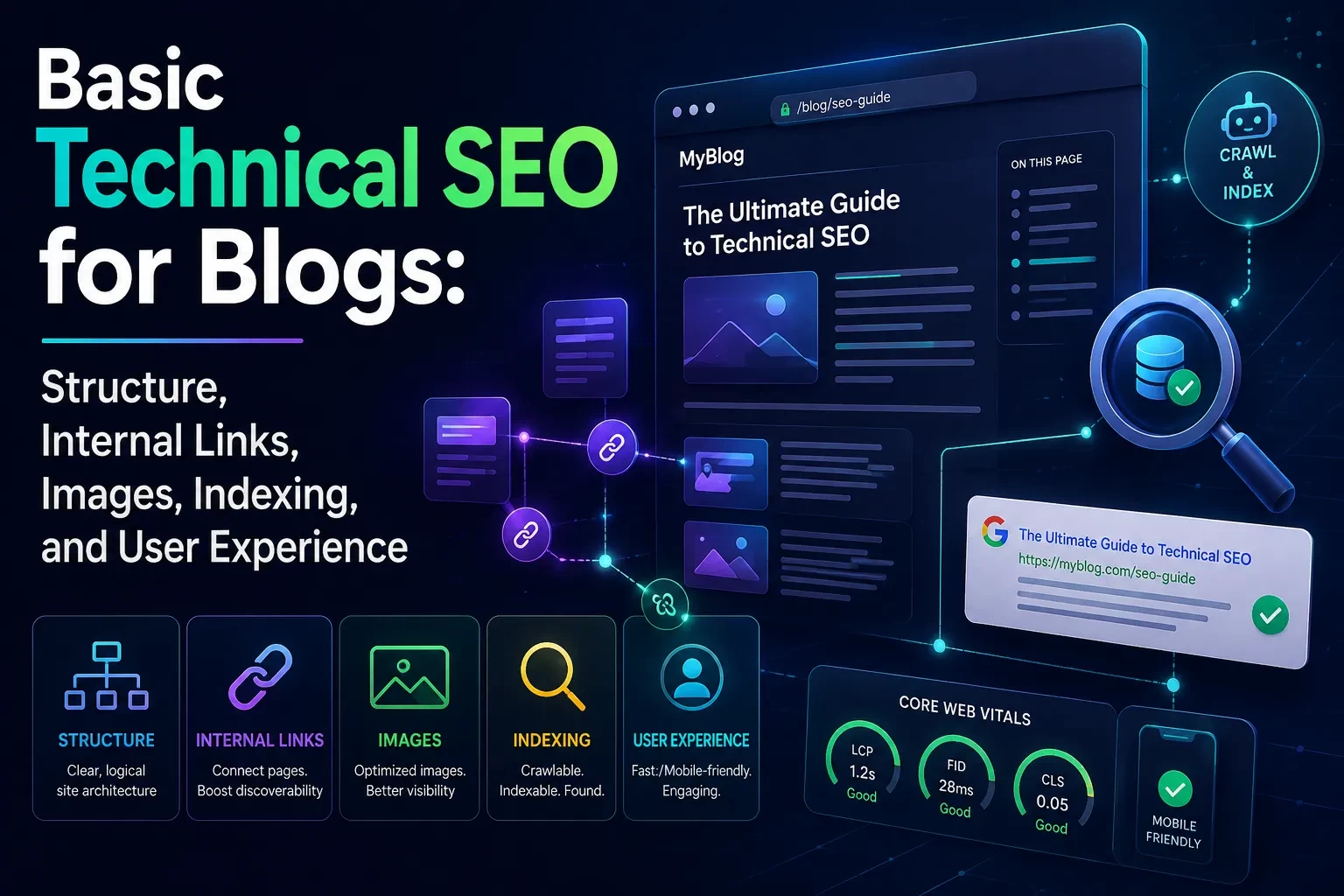
Basic technical SEO for blogs means making your site easy for search engines to crawl and easy for readers to use. The core work includes clean site structure, descriptive headings, relevant internal links, optimized images, indexable pages, mobile-friendly layouts, and stable page performance.
For most blogs, the biggest wins come from fixing fundamentals rather than chasing advanced tactics: remove accidental noindex tags, submit an accurate XML sitemap, improve internal links from related articles, compress oversized images, write helpful alt text, and make sure important posts are reachable from navigation or category pages.
Google’s own SEO guidance frames SEO as helping search engines understand content while helping users decide whether to visit and use a site (Google Search Central, 2026). That is a useful standard: if a change only helps a crawler but makes the reader experience worse, reconsider it.
A strong blog SEO setup should answer five questions clearly: What is this site about? Which pages are important? How are related posts connected? Can Google access the content? Can a visitor read and act on the page without friction?
Reader Roadmap
• How blog structure affects crawling and reader comprehension, so you can organize posts beyond a flat archive.
• Where internal links matter most, so you can guide readers and search engines toward your best pages.
• How to handle images for SEO, accessibility, and page speed without stuffing alt text with keywords.
• What indexing controls actually do, so you can avoid blocking pages you want to rank.
• How user experience and Core Web Vitals fit into technical SEO, so you can prioritize fixes that help real visitors.
• Which mistakes to audit first, so you can improve your blog without rebuilding the entire site.
What “Technical SEO” Means for a Blog
Technical SEO is the set of site-level and page-level practices that help search engines discover, crawl, render, understand, and index your content. For a blog, that usually includes:
• URL structure
• Navigation and category architecture
• Internal linking
• Heading hierarchy
• Image optimization
• XML sitemaps
• Robots.txt and robots meta tags
• Canonical tags
• Mobile usability
• Page speed and Core Web Vitals
• Structured data, when appropriate
The phrase can sound intimidating because enterprise SEO often involves log analysis, edge rendering, faceted navigation, internationalization, and complex JavaScript frameworks. Most blogs do not need to start there. A small or midsize blog usually needs a clean information architecture, indexable posts, sensible links, lightweight media, and a repeatable publishing checklist.
Google’s SEO Starter Guide emphasizes making content easy for users to find and helping search engines understand pages (Google Search Central, 2026). That is the right lens for blog owners: technical SEO is not a bag of tricks; it is publishing hygiene.
Start With Blog Structure Before You Fix Individual Posts
A blog’s structure tells both readers and search engines what matters. If every post is buried in a chronological archive, your strongest evergreen content may be treated like old news. If categories overlap too much, visitors may not understand where to go next. If your URL structure changes often, you can create redirects, duplicate pages, and broken links.
A good blog structure does three jobs:
• It groups related topics logically.
• It makes important pages reachable within a few clicks.
• It gives each page a clear purpose.
For example, a productivity software blog might use categories such as “AI Tools,” “Automation,” “Project Management,” and “Small Business Workflows.” Under those categories, it might build hub pages for recurring topics such as “AI writing tools,” “workflow automation,” or “remote team productivity.” Those hubs can link to detailed articles, comparisons, tutorials, and troubleshooting guides.
The diagram above would be useful because blog structure is easier to understand visually. A simple hierarchy can prevent years of messy publishing decisions.
Use Categories Sparingly and Tags Carefully
Categories should represent major editorial areas. Tags should describe narrower attributes, but only if they create useful archive pages. A tag page with one or two posts, no introduction, and no unique value can become a thin page. That does not mean tags are bad; it means they should be intentional.
A practical rule: create a category or tag only when it helps readers find a meaningful collection of related content. If your CMS automatically creates indexable archives for every tag, review whether those archives should be indexed.
Keep URLs Readable and Stable
A blog URL should usually be short, descriptive, and durable. For example:
/technical-seo-blog-checklist/
is more useful than:
/2026/06/24/post?id=8472&cat=seo-basics/
Dates in URLs are not automatically wrong, especially for news publishers. But for evergreen guides, date-based URLs can make content look outdated and can complicate future updates. The bigger issue is stability. Changing URL formats after publication requires redirects and can create avoidable SEO risk.
Page Structure: Headings, Titles, and Content Blocks
Search engines and readers both use structure to understand a page. Your article title, H1, H2s, H3s, introduction, image captions, and internal links all provide signals about what the page covers.
Each blog post should have one clear H1. H2s should organize major sections. H3s should support details under those sections. Do not use headings only because they look big in your editor. Headings are structural labels.
A good heading tells the reader what question the next section answers. A weak heading says something vague like “More Information” or “Final Thoughts.” A stronger heading says “How to Check Whether a Blog Post Is Indexed” or “Why Image File Size Affects SEO.”
Titles and Meta Descriptions Still Matter
The title tag is often the first thing a searcher sees. It should describe the page accurately and give a reason to click. Avoid vague titles, overpromising, or repeating the same keyword several times.
The meta description is not a guaranteed ranking factor, and Google may rewrite snippets. Still, a clear description can help users understand the page before they click. Treat it as editorial packaging: accurate, specific, and useful.
Use Introductory Context Before Diving Into Steps
Many blog posts fail because they jump into instructions before defining the reader’s situation. A tutorial on fixing indexing problems should first clarify whether the reader is dealing with a new page, a blocked page, a duplicate page, or a low-quality page that Google has discovered but not indexed.
Good structure reduces confusion. That is part of technical SEO.
Internal Links: The Blog SEO Lever Many Sites Underuse
Internal links are links from one page on your site to another page on your site. They help readers continue their journey and help search engines discover pages and understand relationships. Google’s SEO guidance recommends making links easy to crawl and using anchor text that gives context about the linked page (Google Search Central, 2026).
A blog with weak internal linking often has two problems:
• Important evergreen posts are published once and then forgotten.
• Newer posts do not connect back to older, authoritative resources.
A better approach is to build internal links as part of your editorial workflow. Every new article should answer:
• Which existing guide should this post link to?
• Which older posts should later link back to this new article?
• Is there a category hub or resource page that should include it?
• Does the anchor text describe the destination clearly?
For example, an article about optimizing blog images might naturally link to a broader technical SEO checklist, a Core Web Vitals guide, and a tutorial on writing accessible alt text. The anchor text should be specific: “compress blog images before upload” is more helpful than “click here.”
Internal Link Quality Beats Link Quantity
Do not add 30 internal links to a short article just because links are good. Too many irrelevant links create noise. A link should help the reader take a logical next step.
Useful internal links often point to:
• Foundational guides
• Related tutorials
• Definitions of technical terms
• Comparison articles
• Product or tool reviews, when relevant
• Updated resources that replace outdated posts
Build Topic Hubs for Repeated Blog Themes
If your blog covers the same subject from many angles, create a central hub. A hub page is not just a category archive. It should introduce the topic, organize the best resources, and help readers choose where to go next.
For a blog about SEO, a “Technical SEO for Blogs” hub might include:
• Beginner checklist
• Indexing troubleshooting guide
• Image SEO guide
• Internal linking workflow
• Core Web Vitals explainer
• CMS-specific tutorials for WordPress, Shopify, Webflow, or Squarespace
This gives the site a stronger editorial spine.
Image SEO: Accessibility, Speed, and Context
Images can help a blog post explain a workflow, show a screenshot, compare layouts, or make an abstract concept concrete. They can also slow pages down, create accessibility problems, and waste crawl context if handled carelessly.
Google’s image SEO guidance recommends useful, information-rich alt text in context and warns against keyword stuffing in alt attributes (Google Search Central, 2026). That is the balance to aim for: describe the image for users who need the description, while making the image’s role clear to search engines.
Write Alt Text for the Image’s Purpose
Alt text should describe what matters about the image in that specific article. A generic screenshot might not need a long description. A chart, workflow diagram, or interface screenshot usually does.
Weak alt text:
alt="SEO image"
Better alt text:
alt="Example blog post layout showing H1 title, H2 sections, internal links, and image placement for technical SEO"
The second version helps because it describes the visual and its relevance.
Compress Images Before Uploading
Large images are one of the easiest ways to slow down a blog. Uploading a 4000-pixel-wide image when the content column displays it at 900 pixels wastes bandwidth. Use appropriately sized images, modern formats when your CMS supports them, and compression that preserves readability.
Do not compress screenshots so aggressively that text becomes blurry. A fast but unreadable tutorial image is not useful.
The visual above would help readers understand that image optimization is not only about smaller files. The goal is a readable image that loads efficiently.
Use Lazy Loading Carefully
Lazy loading delays loading images or content until the user is likely to need it. This can improve performance, but poor implementation can hide important content from search engines. Google’s lazy-loading documentation warns that lazy-loaded content should still be crawlable and recommends testing implementation carefully (Google Search Central, 2026).
For most blog owners using a mainstream CMS, native image lazy loading is usually handled by the theme or platform. Problems are more likely when custom scripts load content only after a user interaction, such as clicking a tab or scrolling in a way Google cannot reproduce.
Indexing: Make Sure the Right Pages Can Appear in Search
Crawling and indexing are not the same thing. Crawling means Google can discover and fetch a URL. Indexing means Google may store and show that URL in search results. A page can be crawlable but not indexed. A page can also be blocked from crawling or marked with noindex.
For blog owners, indexing work is about making sure important pages can be discovered, crawled, rendered, and selected for indexing.
Use Google Search Console as Your Source of Truth
Google Search Console’s URL Inspection tool provides information about Google’s indexed version of a page and can test whether a URL may be indexable (Google Search Console Help, 2026). Search Console also includes page indexing reports that show the indexing status of URLs Google knows about (Google Search Console Help, 2026).
Use it to check:
• Whether Google has discovered the URL
• Whether the page is indexed
• Whether a noindex directive is present
• Whether the page has canonicalization issues
• Whether Google can access the page
• Whether structured data or video enhancements are detected
When you publish or substantially update a few important URLs, you can request recrawling through URL Inspection. Google notes that repeated recrawl requests for the same URL do not make crawling happen faster (Google Search Central, 2026).
Understand Robots.txt, Noindex, and Canonicals
These three controls are often confused.
robots.txt tells crawlers which URLs they can access. Google states that robots.txt is mainly used to avoid overloading a site with requests and is not a reliable way to keep a page out of Google; for that, use noindex or password protection (Google Search Central, 2026).
noindex tells search engines not to index a page. This is useful for thin internal search pages, thank-you pages, duplicate utility pages, or private-ish pages that are not suitable for search. Do not put noindex on posts you want to rank.
A canonical tag indicates the preferred URL for duplicate or very similar pages. Google’s canonical documentation explains that canonical signals help Google choose which version to show, but canonicalization is a signal rather than a simple command in every situation (Google Search Central, 2026).
Keep Your XML Sitemap Accurate
An XML sitemap helps search engines discover important URLs. It should include canonical, indexable pages that you want found. It should not become a dumping ground for every URL your CMS can generate.
Google’s sitemap guidance says the <lastmod> value should reflect the date and time of the last significant update, such as changes to main content, structured data, or links—not minor changes like updating a copyright date (Google Search Central, 2026).
That matters because inaccurate sitemap signals can reduce trust in your sitemap data. If your CMS updates every <lastmod> date every day, it is not giving search engines useful information.
User Experience and Core Web Vitals
Technical SEO is partly about crawlers, but it is also about people. A blog post that loads slowly, jumps around while reading, or blocks content with intrusive overlays creates a poor experience.
Core Web Vitals are metrics related to real-world user experience, including loading performance, interactivity, and visual stability (Google Search Central, 2026). Web.dev lists Largest Contentful Paint, Interaction to Next Paint, and Cumulative Layout Shift as stable Core Web Vitals (web.dev, 2026).
In plain English:
• Largest Contentful Paint, or LCP, is about how quickly the main content appears.
• Interaction to Next Paint, or INP, is about how responsive the page feels after user interactions.
• Cumulative Layout Shift, or CLS, is about whether elements move unexpectedly while the page loads.
A blog does not need to become a minimalist text file to perform well. But it should avoid preventable friction: huge hero images, too many ad scripts, unstable embeds, heavy pop-ups, and themes overloaded with unused JavaScript.
A dashboard-style visual here would help readers connect abstract performance metrics with practical blog problems such as slow hero images, delayed interactions, and shifting content blocks.
Mobile Experience Is the Default Experience
Most readers will encounter your blog on a phone at least some of the time. Technical SEO audits should include mobile checks, not only desktop previews.
Review:
• Font size and line spacing
• Tap targets
• Sticky headers that cover too much screen space
• Pop-ups and newsletter forms
• Table behavior on small screens
• Image scaling
• Navigation menus
• Comment widgets and embeds
A page can pass a technical crawl and still be unpleasant to read. That is not a small issue. Search visibility is valuable only if the page earns the reader’s attention after the click.
A Basic Technical SEO Workflow for Blog Posts
Use this workflow before publishing a new article and again when updating an important older one.
1. Confirm the search purpose of the page.
Decide what the article is supposed to help the reader do. A beginner guide, troubleshooting post, product comparison, and opinion piece should not have the same structure. This matters because technical elements—headings, links, images, schema, and calls to action—should support the reader’s goal.
Practical tip: write a one-sentence purpose before drafting, such as “This article helps a small business blogger diagnose why new posts are not appearing in Google.”
2. Choose a stable, descriptive URL.
Use a short slug that reflects the page topic. Avoid unnecessary dates, filler words, or CMS-generated parameters. A stable URL reduces redirect work later.
Warning: if you are updating an existing post, do not change the URL unless there is a clear reason and you can set up a proper redirect.
3. Structure the article with one H1 and logical H2s.
Make the H1 specific and readable. Use H2s for major reader questions. Use H3s only when a section needs sub-organization.
Example: under “Image SEO,” you might use H3s for “Alt Text,” “File Size,” and “Lazy Loading.”
4. Add internal links intentionally.
Link to relevant resources that help the reader go deeper. Add links from older related posts back to the new article when it fills a gap. This prevents new content from becoming an orphan page.
Practical tip: maintain a simple spreadsheet of cornerstone articles and the supporting posts that should link to them.
5. Prepare images before upload.
Resize images to match the content area, compress them, use descriptive file names when practical, and write alt text that describes the image in context. Avoid uploading huge screenshots directly from a high-resolution display.
Warning: do not use alt text as a keyword dump. It hurts accessibility and can look spammy.
6. Check indexability settings.
Before publishing, confirm the post is not set to noindex, blocked by a CMS visibility setting, hidden behind a login, or canonicalized to the wrong URL.
Practical tip: after publishing, inspect the URL in Search Console if the page is important.
7. Submit or verify sitemap inclusion.
Make sure the post appears in your XML sitemap if it is a canonical, indexable page. Confirm the sitemap is submitted in Search Console.
Warning: do not include tag pages, author archives, or filtered URLs in the sitemap unless they are genuinely useful search landing pages.
8. Test the live page.
Open the published page on mobile and desktop. Check layout, images, links, forms, embedded media, and page speed. Read the first screen like a visitor: is the topic clear, or is the useful content pushed too far down?
Practical tip: use Search Console, PageSpeed Insights, and your CMS preview tools together. No single tool replaces human review.
Technical SEO Decision Matrix for Blog Owners
Use this table to prioritize work when time is limited.
| Area | What to Check | Why It Matters | First Fix to Try |
|---|---|---|---|
| Structure | Categories, hubs, navigation, URL patterns | Helps readers and crawlers understand topical relationships | Create or improve hub pages for recurring topics |
| Internal links | Links between related posts and cornerstone guides | Reduces orphan pages and improves discovery | Add 3–6 relevant links from older posts to important newer content |
| Images | File size, alt text, dimensions, lazy loading | Affects accessibility, image understanding, and performance | Compress oversized images and rewrite vague alt text |
| Indexing | noindex, sitemap, canonical, robots.txt, Search Console status |
Determines whether pages can appear in search | Inspect key URLs in Search Console and fix accidental blocks |
| UX and speed | LCP, INP, CLS, mobile layout, intrusive elements | Impacts reader satisfaction and page experience | Remove heavy scripts, stabilize layout, and optimize hero images |
Common Mistakes and Troubleshooting
Mistake: Publishing Too Many Thin Tag Pages
Why it happens: CMS platforms often create tag archives automatically. Over time, a blog may end up with hundreds of tag pages that contain only one or two posts.
How to fix it: Audit tag pages. Keep only tags that help readers browse meaningful collections. Consider noindexing or removing thin tag archives if they do not serve a useful search or navigation purpose.
Symptom: A New Blog Post Is Not Showing in Google
Why it happens: The page may be new, not internally linked, excluded from the sitemap, marked noindex, canonicalized elsewhere, or discovered but not selected for indexing.
How to fix it: Inspect the URL in Search Console. Confirm that the page is indexable, canonical to itself, linked from at least one crawlable page, and included in the sitemap if appropriate. If the page is thin or duplicative, improve the content before expecting indexing.
Mistake: Blocking Pages With Robots.txt Instead of Noindex
Why it happens: Site owners often assume robots.txt removes pages from Google. It controls crawler access, not indexing in the way many people expect.
How to fix it: Use noindex for pages you do not want indexed, assuming crawlers can access the page and see the directive. Use password protection for content that should not be publicly accessible. Google explicitly says robots.txt is not a mechanism for keeping a page out of Google (Google Search Central, 2026).
Symptom: Images Load Slowly and Hurt the Reading Experience
Why it happens: Blog editors upload oversized images, use uncompressed screenshots, or rely on themes that do not serve responsive image sizes.
How to fix it: Resize images before upload, compress them, use responsive image settings in your CMS, and avoid using massive hero images when a smaller image would work. Check whether the largest above-the-fold image is affecting LCP.
Mistake: Using “Click Here” for Most Internal Links
Why it happens: Editors write links as calls to action rather than descriptive references.
How to fix it: Use anchor text that describes the destination. For example, “technical SEO checklist for WordPress blogs” is more informative than “read more.” Keep it natural; do not force exact-match keywords everywhere.
Symptom: A Page Appears Under the Wrong URL in Search
Why it happens: Duplicate URLs, tracking parameters, HTTP/HTTPS variants, slash inconsistencies, or canonical signals may conflict.
How to fix it: Review the canonical tag, internal links, sitemap URL, redirects, and CMS settings. Make sure your internal links point to the preferred version. Use Search Console to see which canonical Google selected.
Mistake: Optimizing for Scores Instead of Readers
Why it happens: Performance tools produce numbers, and numbers feel objective. Teams may chase a perfect score while ignoring readability, navigation, or content usefulness.
How to fix it: Use performance metrics to identify friction, not as the only definition of quality. A fast page that does not answer the query still fails. A useful page that is painfully slow also fails. You need both.
Privacy, Security, and Access Considerations
Basic technical SEO does not usually require sensitive data, but the tools and workflows around it can involve account access. Google Search Console, analytics platforms, CMS admin panels, CDN settings, and SEO plugins may expose performance data, URLs, traffic patterns, and publishing controls.
Use role-based access where possible. A freelance editor may need CMS editing rights but not DNS access. A developer may need staging and theme access but not billing information. Remove access when contractors or employees leave.
Be cautious with SEO plugins and third-party audit tools. Before connecting a tool, review what permissions it requests and whether it needs write access or only read access. For regulated businesses, legal, medical, financial, or customer-data-heavy sites, coordinate with compliance professionals before sharing data with vendors. This is not legal advice; it is a practical risk-reduction habit.
When Not to Over-Engineer Technical SEO
Not every blog needs advanced schema, server-side rendering work, log-file analysis, or a custom taxonomy rebuild. Over-engineering can create new problems: broken templates, inconsistent canonicals, redirect chains, and editorial delays.
Avoid major technical projects when:
• Your content strategy is unclear.
• You have not fixed accidental noindex or sitemap issues.
• Your internal linking is weak.
• Your pages are slow mainly because of oversized images.
• Your categories and tags are messy but fixable in the CMS.
• You cannot maintain the system after launch.
A simple blog with useful content, clean navigation, good links, and fast pages can outperform a more complex site that is technically clever but editorially confusing.
Practical Example: Fixing a Small Business Blog
Imagine a small accounting software consultant has published 80 blog posts over four years. Traffic is flat. New posts rarely appear in search. The site has useful articles, but the technical setup is weak.
A practical audit might find:
• 40 tag pages indexed with little unique value.
• Several strong guides buried in old archives.
• No hub page for “accounting automation.”
• Screenshots uploaded at full desktop resolution.
• Blog posts with no internal links except “previous” and “next.”
• A sitemap that includes outdated author archives.
• A newsletter pop-up that covers most of the screen on mobile.
The fix is not to rewrite everything. Start by creating one strong hub page, linking related posts into it, compressing the heaviest screenshots, cleaning up tag archives, checking indexability in Search Console, and improving mobile layout. Those changes make the existing content easier to find and use.
FAQ
Conclusion
Basic technical SEO for blogs is not about making a site look optimized. It is about making your best content easier to discover, understand, index, and read. Start with the parts that affect both search engines and humans: structure, links, images, indexability, and user experience.
Before you chase advanced tactics, work through this checklist:
• Make important posts reachable from navigation, hubs, categories, or related articles.
• Use one clear H1 and logical H2/H3 sections on each post.
• Add internal links that genuinely help the reader continue.
• Compress images and write descriptive, contextual alt text.
• Check that important posts are not blocked by noindex, robots.txt, or incorrect canonicals.
• Keep your XML sitemap limited to canonical, indexable URLs.
• Review mobile layout, intrusive elements, and Core Web Vitals.
• Use Google Search Console to validate fixes instead of guessing.
Technical SEO works best when it supports editorial quality. A blog that is useful, organized, accessible, and technically clean gives both readers and search engines fewer reasons to leave confused.
Sources
• Google Search Central — SEO Starter Guide — https://developers.google.com/search/docs/fundamentals/seo-starter-guide
• Google Search Central — Image SEO Best Practices — https://developers.google.com/search/docs/appearance/google-images
• Google Search Central — Robots.txt Introduction and Guide — https://developers.google.com/search/docs/crawling-indexing/robots/intro
• Google Search Central — Robots Meta Tag Specifications — https://developers.google.com/search/docs/crawling-indexing/robots-meta-tag
• Google Search Central — Canonical URL Documentation — https://developers.google.com/search/docs/crawling-indexing/consolidate-duplicate-urls
• Google Search Central — Build and Submit a Sitemap — https://developers.google.com/search/docs/crawling-indexing/sitemaps/build-sitemap
• Google Search Central — Fix Lazy-Loaded Content — https://developers.google.com/search/docs/crawling-indexing/javascript/lazy-loading
• Google Search Central — JavaScript SEO Basics — https://developers.google.com/search/docs/crawling-indexing/javascript/javascript-seo-basics
• Google Search Central — Ask Google to Recrawl Your URLs — https://developers.google.com/search/docs/crawling-indexing/ask-google-to-recrawl
• Google Search Central — Understanding Core Web Vitals and Google Search Results — https://developers.google.com/search/docs/appearance/core-web-vitals
• Google Search Console Help — URL Inspection Tool — https://support.google.com/webmasters/answer/9012289
• Google Search Console Help — Page Indexing Report — https://support.google.com/webmasters/answer/7440203
• web.dev — Web Vitals — https://web.dev/articles/vitals