Table of Contents
◉ Introduction ◉ Reader Roadmap ◉ The Short Answer: Use CodeDesign.ai for Speed, WordPress for Depth ◉ What CodeDesign.ai Is Best At ◉ What WordPress Is Best At ◉ CodeDesign.ai vs WordPress: The Practical Comparison ◉ When to Use CodeDesign.ai for Your Business ◉ When to Use WordPress Instead ◉ The Hybrid Option: Use CodeDesign.ai With WordPress ◉ Cost and ROI Considerations ◉ Use Cases by Business Type ◉ Step-by-Step: How to Decide Before You Build ◉ Common Mistakes and Troubleshooting ◉ Performance, SEO, and Security Considerations ◉ When Not to Use CodeDesign.ai ◉ When Not to Use WordPress ◉ A Practical Mini Case Study ◉ Final Recommendation: Match the Platform to the Business Stage ◉ Quick Checklist Before You Choose ◉ FAQ ◉ Conclusion: Build for the Decision You Actually Face ◉ Sources
Building a business website used to mean choosing between hiring a developer, learning a content management system, or settling for a basic template. In 2026, the decision is more nuanced. AI website builders can now generate polished layouts, starter copy, and page structures quickly, while mature platforms like WordPress still dominate the web because of their flexibility, plugin ecosystem, and long-term ownership model.
That creates a practical question for business owners, marketers, consultants, agencies, and startup teams: should you use CodeDesign.ai, WordPress, or both?
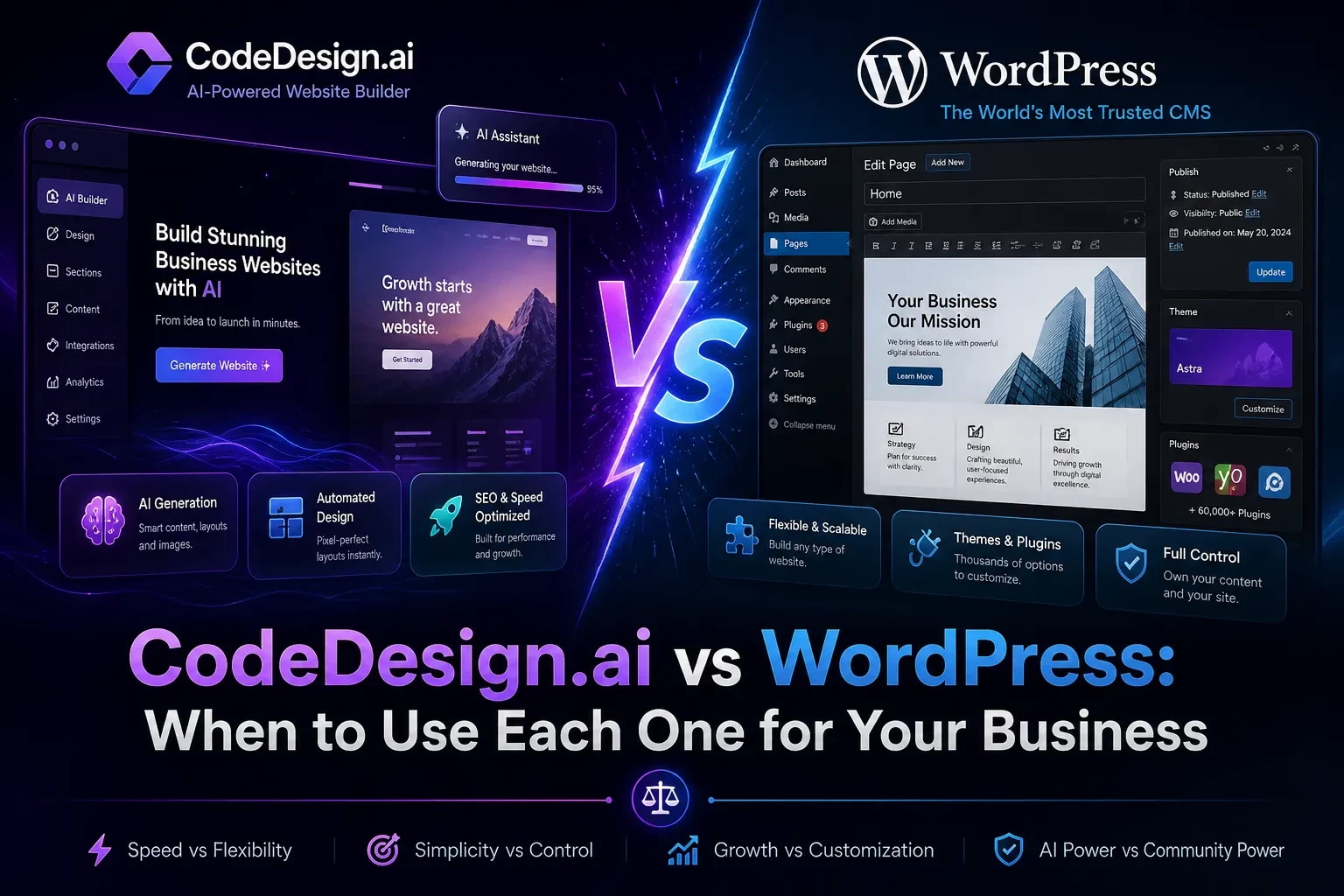
This guide breaks down that decision without treating one option as universally better. CodeDesign.ai is built for fast AI-assisted website creation, visual editing, hosting flexibility, WordPress syncing, and code export. WordPress is a full content management system with deep customization, publishing, SEO, ecommerce, membership, and developer extensibility. The right choice depends on your business model, technical resources, growth plans, content needs, budget, and tolerance for maintenance.
By the end, you will know when CodeDesign.ai makes more sense, when WordPress is the safer long-term foundation, and when a hybrid workflow gives you the best of both.
Reader Roadmap
• The quick answer: A plain-English summary of when to choose CodeDesign.ai, WordPress, or a hybrid setup.
• Platform context: What each tool actually does and why comparing them directly can be misleading.
• Decision framework: A practical comparison across speed, control, SEO, scalability, ownership, integrations, and maintenance.
• Step-by-step selection process: A business-focused workflow for choosing the right platform before you build.
• Common mistakes and troubleshooting: Real issues teams run into when choosing too fast or overbuilding too early.
• FAQ and checklist: Concise answers and next actions you can use before committing.
The Short Answer: Use CodeDesign.ai for Speed, WordPress for Depth
Use CodeDesign.ai when you need to launch a professional-looking website quickly, especially if your immediate goal is to validate an offer, publish a landing page, create a small business site, or give a non-technical team more control over design. CodeDesign.ai’s official site positions the platform as an AI website builder that lets users generate, customize, host, sync to WordPress, or export clean code (CodeDesign.ai, 2026).
Use WordPress when your website is not just a website, but a long-term digital operating system. That includes content-heavy blogs, ecommerce stores, membership sites, multilingual publishing, complex SEO programs, custom workflows, editorial teams, and sites that need advanced integrations. WordPress remains the most widely used CMS: W3Techs reports that WordPress powers 42.2% of all websites and 59.6% of websites with a known CMS as of May 2026 (W3Techs, 2026).
Use both when you want AI-assisted design speed but still need WordPress as your publishing, SEO, or content management foundation. CodeDesign.ai’s stated ability to sync with WordPress is important here because it means the decision does not have to be strictly either/or (CodeDesign.ai, 2026).
The image above should show a simple decision flow: “Need a fast landing page?” points to CodeDesign.ai; “Need a long-term content or ecommerce system?” points to WordPress; “Need AI design plus CMS depth?” points to a hybrid workflow. This matters because most bad website decisions happen when teams choose a platform before defining the website’s job.
What CodeDesign.ai Is Best At
CodeDesign.ai belongs to the newer generation of AI website builders. Instead of starting with a blank theme or a developer environment, you can start from a prompt, generate a site structure, refine the design visually, and move faster from idea to published page.
Its core appeal is not that it replaces every web development workflow. Its value is that it compresses the early stages of website creation: page planning, layout generation, first-draft copy, responsive design, visual iteration, and launch preparation.
That makes it useful for businesses that need momentum. A local service provider, solo consultant, SaaS founder, coach, agency, event organizer, or creator may not need a complex CMS on day one. They may need a credible homepage, a landing page, a contact form, a product explainer, or a campaign-specific page that can go live without weeks of design and development cycles.
CodeDesign.ai also matters because it offers more exit flexibility than some closed website builders. The official site says users can host on CodeDesign.ai’s cloud, sync to WordPress, or export HTML, CSS, and JavaScript code (CodeDesign.ai, 2026). That flexibility reduces one of the classic risks of website builders: being locked into a platform that is convenient at first but restrictive later.
What WordPress Is Best At
WordPress is not just a website builder. It is an open-source publishing platform and CMS. That distinction matters.
A website builder helps you assemble pages. A CMS helps you manage content, users, templates, taxonomies, media, publishing workflows, and long-term site architecture. WordPress.org describes the platform as a way to build, edit, and extend sites with plugins for stores, analytics, newsletters, and social media integrations (WordPress.org, 2026).
WordPress is strongest when your website will grow in complexity over time. For example, you may start with five pages, then add a blog, then add lead magnets, then create comparison pages, then integrate analytics, then add ecommerce, then build custom landing pages for paid campaigns. WordPress can support that kind of growth because it has a large ecosystem of themes, plugins, developers, hosting providers, and documentation.
The tradeoff is maintenance. WordPress gives you more control, but more control means more responsibility. You need to manage hosting, updates, backups, security, performance, plugin quality, theme compatibility, and sometimes developer support. For a serious business site, that is normal. For a one-page validation project, it can be too much.
CodeDesign.ai vs WordPress: The Practical Comparison
| Decision Area | CodeDesign.ai | WordPress |
|---|---|---|
| Best for | Fast AI-assisted websites, landing pages, small business sites, prototypes | Content-heavy sites, ecommerce, SEO programs, custom workflows, long-term digital platforms |
| Setup speed | Faster starting point because AI can generate layouts and starter content | Slower unless you use a managed host, starter theme, or AI-assisted setup |
| Design workflow | Visual, prompt-assisted, beginner-friendly | Flexible, but depends on theme, builder, blocks, or custom development |
| Content management | Useful for simpler sites and pages | Strong CMS for blogs, categories, authors, archives, editorial workflows |
| Ownership flexibility | Can host, sync to WordPress, or export code according to official positioning | Open-source, portable, large hosting ecosystem |
| Maintenance burden | Lower if hosted and managed through the platform | Higher because plugins, themes, hosting, security, and updates require management |
| Scalability | Good for many business websites and campaign pages | Better for complex, content-rich, highly integrated, or custom sites |
| Learning curve | Lower for non-technical users | Moderate; can become steep with plugins, hosting, performance, and customization |
| Developer control | Code export helps, but depends on workflow needs | High; developers can customize themes, plugins, APIs, and infrastructure |
| Long-term fit | Strong for speed and simplicity | Strong for ownership, extensibility, and content operations |
The key takeaway: CodeDesign.ai optimizes for speed to launch. WordPress optimizes for depth and extensibility. Your business may need one or the other at different stages.
When to Use CodeDesign.ai for Your Business
Choose CodeDesign.ai when speed, simplicity, and visual iteration matter more than deep backend customization.
1. You Need a Website Quickly
If your business needs to publish a credible web presence in days rather than weeks, CodeDesign.ai is a strong fit. This is especially true for:
• Service businesses that need a homepage, contact form, and offer explanation.
• Consultants who need a personal brand site.
• Agencies creating first drafts for clients.
• Startups validating a product idea.
• Marketers launching campaign-specific landing pages.
• Event teams promoting a short-term registration page.
In these scenarios, the risk is not usually “we lack enterprise-grade customization.” The bigger risk is taking too long to launch and missing feedback from real visitors.
2. You Do Not Have a Dedicated Web Team
WordPress can be friendly, but it still asks you to make technical decisions: hosting, theme, plugins, backups, updates, caching, security, page builder, forms, analytics, and more. A non-technical founder can handle those decisions, but each one adds friction.
CodeDesign.ai is more appealing when your team wants to stay focused on messaging, layout, calls to action, and publishing. If your website is primarily a marketing asset, not a complex application, AI-assisted building can reduce the blank-page problem.
3. You Want to Prototype Before Investing Heavily
Before you spend thousands of dollars on custom design or development, you may need to test positioning. Does your offer resonate? Do customers understand the product? Which headline works? Which service package gets inquiries?
CodeDesign.ai can help you create a realistic prototype that is good enough to test with traffic, prospects, or stakeholders. That is different from a wireframe. A wireframe communicates structure; a working landing page can generate leads.
4. You Want AI Help Without Losing Export Options
Many website builders are convenient until you want to leave. CodeDesign.ai’s positioning around hosting, WordPress sync, and code export gives businesses more flexibility than a fully closed system (CodeDesign.ai, 2026).
That does not mean every exported project will instantly become a perfect developer handoff. You still need to review code quality, assets, responsiveness, analytics, accessibility, and SEO settings. But exportability is a practical advantage if your business expects to evolve.
5. You Need Multiple Simple Sites
Agencies, affiliate marketers, local business groups, and product teams often need multiple microsites or landing pages. Building every small site from scratch in WordPress can create maintenance overhead. Each installation may require updates, security configuration, hosting decisions, and plugin management.
For smaller, focused sites, CodeDesign.ai can be more efficient. The business question is simple: does each site need a full CMS, or does it need a fast, attractive, conversion-focused presence?
When to Use WordPress Instead
Choose WordPress when your website is likely to become a core business system rather than a simple marketing page.
1. You Are Serious About Content Marketing
If your growth strategy depends on publishing articles, comparisons, tutorials, reviews, resources, category pages, author pages, and evergreen SEO content, WordPress is hard to ignore. Its content model, plugins, permalink control, editorial workflows, and developer ecosystem make it a strong foundation for publishing.
The WordPress Block Editor uses modular blocks to create and format content, which supports more flexible layouts than the older classic editor model (WordPress Developer Resources, 2026).
For a business blog, that matters. You may need reusable content blocks, internal linking, schema plugins, author bios, content updates, redirects, media optimization, and editorial permissions. WordPress is built for that kind of work.
2. You Need Ecommerce or Complex Transactions
WordPress, usually through WooCommerce or other plugins, can support stores, subscriptions, bookings, memberships, digital downloads, gated content, and more. That does not mean it is the right ecommerce choice for every business, but it is far more extensible than a simple website builder when transaction logic becomes complex.
Use WordPress when you expect to need:
• Custom checkout flows.
• Multiple payment gateways.
• Product catalogs.
• Membership access.
• Course or content restrictions.
• CRM and email marketing integrations.
• Advanced analytics and conversion tracking.
• Custom post types for structured business data.
3. You Need Full Control Over SEO and Site Architecture
For basic SEO, many modern website builders are good enough. But SEO at scale is not just titles and meta descriptions. It includes crawl paths, templates, internal linking, schema markup, redirects, content hubs, performance, image optimization, indexation rules, pagination, and technical audits.
WordPress gives experienced teams more control over these layers. That control can be an advantage for publishers, SaaS companies, affiliate businesses, local SEO agencies, and ecommerce teams.
The tradeoff is that control can become clutter. Too many plugins, heavy themes, and poorly configured builders can hurt performance. WordPress is powerful, but it rewards disciplined implementation.
4. You Need a Developer-Friendly Foundation
If your roadmap includes custom features, WordPress is often the safer bet. Developers can build custom themes, plugins, REST API integrations, custom post types, custom fields, automation workflows, and headless architectures.
CodeDesign.ai’s code export can help bridge design and development, but WordPress remains more mature as a full application-like CMS environment. If you know your business will need custom logic, user roles, data relationships, or deep integrations, WordPress deserves serious consideration.
5. You Have Compliance, Governance, or Ownership Requirements
Some businesses need stricter control over hosting, backups, data handling, user permissions, and vendor risk. WordPress can be deployed on infrastructure you choose, managed by internal teams or trusted vendors, and customized to fit governance requirements.
That does not automatically make WordPress more secure. Poorly maintained WordPress sites are common targets. But WordPress gives organizations more control over security architecture when they have the resources to manage it properly.
The Hybrid Option: Use CodeDesign.ai With WordPress
The most interesting answer is not always “CodeDesign.ai or WordPress.” For many businesses, the better workflow is “CodeDesign.ai first, WordPress when needed.”
A hybrid workflow can look like this:
• Use CodeDesign.ai to generate the first version of your site or landing page.
• Refine messaging, layout, and visual direction with your team.
• Validate the offer with real users or paid traffic.
• Sync or rebuild the approved structure in WordPress if the site needs a long-term CMS.
• Continue using WordPress for blogging, SEO, ecommerce, and integrations.
This works especially well for businesses that need fast design iteration but do not want to sacrifice long-term content infrastructure.
The image above should show CodeDesign.ai on the left generating layouts and landing pages, then an arrow to WordPress on the right handling blog posts, SEO content, ecommerce, and integrations. The point is to show that AI-assisted design and CMS depth can complement each other instead of competing.
Cost and ROI Considerations
Cost is not only the subscription price. A cheaper platform can become expensive if it slows your team down. A more expensive platform can be worth it if it reduces development time, improves conversion testing, or supports long-term growth.
For CodeDesign.ai, review the current pricing page before committing because AI tools, lifetime deals, plan limits, hosting allowances, export options, and team features can change (CodeDesign.ai, 2026). The ROI question is: how much time does it save you compared with hiring a designer, buying a theme, configuring hosting, and building pages manually?
For WordPress, the software itself is open-source, but the real costs usually include:
• Hosting.
• Premium themes or builders.
• Plugins.
• Developer or maintenance support.
• Security tools.
• Backups.
• Performance optimization.
• Content production.
• Ongoing updates.
A small WordPress site can be inexpensive. A serious business WordPress site can become a recurring operational cost. That is not bad; it just means WordPress should be treated as infrastructure, not as a one-time design project.
The simplest ROI test is this: if your site’s main job is to validate or present an offer, CodeDesign.ai may deliver value faster. If your site’s main job is to compound traffic, content, transactions, and integrations over time, WordPress may provide better long-term leverage.
Use Cases by Business Type
Local Service Business
A local contractor, clinic, cleaning company, consultant, or studio often needs a homepage, service pages, testimonials, contact options, and local trust signals.
CodeDesign.ai can be a strong choice if the business needs to launch quickly and does not plan to publish frequent content. WordPress becomes more attractive if local SEO is a major strategy and the business will publish city pages, blog posts, case studies, or structured service content.
Startup or SaaS Company
A startup may need a landing page before it needs a full CMS. CodeDesign.ai is useful for testing value propositions, pricing pages, feature pages, and waitlists.
WordPress makes sense once the company needs a resource center, documentation, integrations, partner pages, comparison content, or a mature SEO program. Some SaaS companies may eventually move beyond WordPress to custom frameworks, but WordPress is often a practical middle stage.
Agency or Freelancer
Agencies can use CodeDesign.ai to speed up concepting and client approvals. Instead of spending days on static mockups, they can present working page drafts.
WordPress remains valuable when the client needs ownership, blogging, custom fields, SEO plugins, ecommerce, or integration with existing marketing systems. Agencies may also use CodeDesign.ai for rapid prototypes and WordPress for final production.
Content Publisher or Affiliate Site
WordPress is usually the better fit for content-heavy publishing. It handles categories, tags, authors, revisions, editorial workflows, internal links, templates, and SEO plugins better than most lightweight builders.
CodeDesign.ai may still help with landing pages, campaign pages, or redesign concepts, but the publishing engine should usually be WordPress if content volume is central to the business.
Ecommerce Brand
For a simple product pre-launch page, CodeDesign.ai can work well. For a full store, WordPress with WooCommerce or a dedicated ecommerce platform is usually more appropriate.
Choose WordPress if you need product management, cart logic, coupons, customer accounts, checkout customization, shipping rules, tax settings, and ecommerce analytics.
Step-by-Step: How to Decide Before You Build
1. Define the Website’s Primary Job
Start by writing one sentence:
“My website’s main job is to ______.”
Examples:
• Generate consultation requests.
• Sell products.
• Publish SEO content.
• Validate a new offer.
• Support paid ad campaigns.
• Build trust for a local service.
• Manage members or customers.
If the job is narrow and campaign-focused, CodeDesign.ai may be enough. If the job includes ongoing publishing, transactions, or custom workflows, WordPress is more likely to fit.
2. Map Your Next 12 Months, Not Just Launch Week
Many teams choose based on what is easiest today. That can backfire.
Ask:
• Will we publish weekly or monthly content?
• Will we need ecommerce?
• Will we need multiple users or editors?
• Will we need CRM, email, analytics, or ad platform integrations?
• Will we need custom templates?
• Will we need multilingual pages?
• Will we need ownership over hosting and database access?
If most answers are “no,” keep the setup simple. If several are “yes,” WordPress deserves more weight.
3. Decide How Much Maintenance You Can Handle
WordPress maintenance is manageable, but it is real. The WordPress Plugins Team reported reviewing 12,713 plugins in 2025, a 40.6% increase from 2024, which illustrates how active and large the plugin ecosystem remains (Make WordPress, 2026). A large ecosystem creates power, but it also requires careful plugin choices.
Before choosing WordPress, decide who will handle:
• Core updates.
• Plugin updates.
• Theme updates.
• Backups.
• Security monitoring.
• Performance testing.
• Broken layout checks.
• Spam control.
• Form deliverability.
If nobody owns those tasks, a simpler managed website builder may be safer.
4. Build a Minimum Viable Website Plan
Do not start with every feature you might need. Start with the few pages that must exist.
For a service business, that may be:
• Homepage.
• Services page.
• About page.
• Contact page.
• One landing page.
For a content business, that may be:
• Homepage.
• Blog index.
• Article template.
• Category template.
• About page.
• Newsletter signup.
For ecommerce, that may be:
• Homepage.
• Product page.
• Cart.
• Checkout.
• FAQ.
• Policy pages.
If your minimum version is mostly static pages, CodeDesign.ai is compelling. If your minimum version already includes structured content or transactions, WordPress may be the better starting point.
5. Test the Workflow, Not Just the Features
A platform can look good on a feature list and still feel wrong in daily use. Before committing, test the actual workflow.
For CodeDesign.ai:
• Generate a sample page.
• Edit the headline, sections, colors, and mobile layout.
• Check how publishing works.
• Review export or WordPress sync options.
• Test whether your team can make updates without help.
For WordPress:
• Install or access a staging site.
• Create a page with the Block Editor.
• Install only essential plugins.
• Test mobile performance.
• Create a blog post.
• Update a plugin.
• Restore from a backup if your host supports it.
Your final choice should be based on how the platform performs under your real operating conditions.
6. Choose a Migration Path Before You Need It
Even if you start small, plan for what happens next.
If you choose CodeDesign.ai, document whether you might later export code, sync to WordPress, or rebuild in WordPress. If you choose WordPress, document your hosting, theme, plugins, and backup strategy so future developers are not guessing.
Migration planning is not pessimistic. It is how you avoid platform regret.
Common Mistakes and Troubleshooting
Mistake 1: Choosing WordPress Only Because It Is Popular
WordPress is popular for good reasons, but popularity does not automatically make it the right tool for every project. If you only need a simple landing page, a full CMS may add unnecessary decisions and maintenance.
Fix: Start with your website’s job. If the site does not need publishing workflows, ecommerce, or custom integrations, consider CodeDesign.ai or another simpler builder first.
Mistake 2: Choosing CodeDesign.ai Without Thinking About Future Content
AI builders are excellent for speed, but some businesses quickly outgrow simple page-based structures. If you plan to publish dozens or hundreds of articles, create resource hubs, or build a serious SEO engine, you need to think carefully about CMS depth.
Fix: If content will be a growth channel, consider using CodeDesign.ai for design exploration and WordPress for long-term publishing.
Mistake 3: Overloading WordPress With Plugins
Plugins are one of WordPress’s biggest strengths, but they can also create performance, security, and compatibility issues. The official WordPress plugin directory describes itself as the largest directory of free and open-source WordPress plugins (WordPress.org, 2026). That scale is powerful, but it means you must be selective.
Fix: Use fewer plugins, choose actively maintained options, remove unused plugins, and test updates on staging when possible.
Mistake 4: Ignoring Mobile Performance
A site that looks good on desktop but loads slowly or breaks on mobile can hurt user experience and conversions. This applies to both CodeDesign.ai and WordPress.
Fix: Before launch, test key pages on mobile. Review image sizes, layout shifts, font readability, button spacing, and form usability. For WordPress, also check whether your theme, page builder, and plugins are adding unnecessary weight.
Mistake 5: Treating AI-Generated Copy as Final Copy
AI-generated website copy can help you start, but it may sound generic if you publish it without editing. Your website still needs specific positioning, proof, customer language, objections, benefits, and calls to action.
Fix: Use AI-generated copy as a first draft. Then add real differentiators, customer examples, pricing clarity, trust signals, testimonials, case studies, and concrete next steps.
Mistake 6: Forgetting Analytics and Conversion Tracking
A website is not finished when it looks good. You need to know whether people visit, scroll, click, submit forms, book calls, or buy.
Fix: Add analytics and conversion tracking before launch. At minimum, define your primary conversion event and test that it fires correctly. For paid campaigns, confirm tracking before spending heavily.
Mistake 7: Skipping Ownership Questions
Some teams only ask, “Can we build it?” They forget to ask, “Can we move it, maintain it, and control it later?”
Fix: Before choosing any platform, confirm your options for domain control, hosting, export, backups, user access, and migration.
Performance, SEO, and Security Considerations
Performance, SEO, and security are not platform names. They are implementation outcomes.
A well-built CodeDesign.ai site can be more effective than a poorly maintained WordPress site. A disciplined WordPress build can outperform a bloated website builder page. The platform matters, but execution matters more.
For SEO, focus on:
• Clear site structure.
• Search intent alignment.
• Useful content.
• Fast mobile loading.
• Descriptive titles and meta descriptions.
• Clean internal linking.
• Accessible headings.
• Optimized images.
• Indexable pages.
For security, focus on:
• Strong passwords.
• Limited admin access.
• Two-factor authentication where available.
• Regular updates.
• Backups.
• Trusted plugins and themes.
• Secure hosting.
• SSL.
• Form spam protection.
For performance, focus on:
• Compressed images.
• Minimal unnecessary scripts.
• Clean templates.
• Good hosting.
• Caching where appropriate.
• Testing on real mobile devices.
WordPress gives you more knobs to turn. CodeDesign.ai may reduce the number of things you need to manage. Neither removes the need for quality control.
The image above should visualize three overlapping circles: performance, SEO, and security. In the overlap, show “better user experience.” This helps readers understand that platform choice is only one part of website quality.
When Not to Use CodeDesign.ai
Do not use CodeDesign.ai as your primary platform if you already know you need advanced CMS architecture, complex ecommerce logic, custom user roles, large-scale editorial workflows, or deep backend customization from day one.
It may also be the wrong fit if your organization requires strict infrastructure control, database-level customization, highly specialized compliance workflows, or a fully custom design system implemented by developers.
That does not make CodeDesign.ai weak. It means it is optimized for a different job: faster AI-assisted website creation and visual iteration.
When Not to Use WordPress
Do not use WordPress just because “everyone uses WordPress.” If your project is a short-term campaign, a simple one-page site, or a fast validation test, WordPress can be heavier than necessary.
Also be careful with WordPress if no one on your team will maintain it. An unmaintained WordPress site can become slow, outdated, or vulnerable. If you choose WordPress, assign ownership for updates, backups, security, and performance.
A Practical Mini Case Study
Imagine a U.S.-based consulting business launching a new service for small healthcare offices. The founder needs a website in two weeks to support outbound sales and paid LinkedIn tests.
The first version needs:
• A homepage.
• A service landing page.
• A pricing explanation.
• A contact form.
• A downloadable checklist.
• Basic analytics.
In this case, CodeDesign.ai is a strong starting point. The founder can generate a polished draft, edit the positioning, publish quickly, and test whether prospects respond.
Three months later, the offer is working. The business now wants:
• Weekly educational articles.
• SEO landing pages by specialty.
• Case studies.
• Newsletter signup.
• CRM integration.
• Retargeting pixels.
• A resource library.
At that point, WordPress becomes more attractive. The business can either sync, migrate, or rebuild the validated structure into a CMS that supports long-term content operations.
The lesson: the right platform can change as the business matures. You do not need to overbuild on day one, but you should know what growth path looks like.
Final Recommendation: Match the Platform to the Business Stage
If you are pre-launch, testing an offer, or building a simple marketing presence, start with CodeDesign.ai. Its AI-assisted workflow can help you move from concept to live page quickly, especially if you do not have a technical team.
If you are building a content engine, ecommerce system, membership site, or long-term digital platform, choose WordPress. It requires more maintenance, but it gives you more control and room to grow.
If you want both speed and depth, use a hybrid path. Let CodeDesign.ai help with ideation, design, and rapid page creation. Let WordPress handle long-term publishing, SEO infrastructure, ecommerce, and complex integrations.
The smartest decision is not based on platform loyalty. It is based on the business outcome you need next.
Quick Checklist Before You Choose
• Is the site mostly static pages? CodeDesign.ai may be enough.
• Will you publish content regularly? WordPress is probably stronger.
• Do you need ecommerce, memberships, or custom workflows? Lean WordPress.
• Do you need to validate an idea fast? Lean CodeDesign.ai.
• Do you have someone to maintain WordPress? If not, keep things simpler.
• Do you need export or migration flexibility? Review CodeDesign.ai’s export and WordPress sync options.
• Do you need full infrastructure control? WordPress is likely the better fit.
• Are you unsure? Build the first version in CodeDesign.ai, then move to WordPress if the business case proves itself.
FAQ
Conclusion: Build for the Decision You Actually Face
CodeDesign.ai and WordPress solve overlapping but different problems. CodeDesign.ai helps you move quickly from idea to website. WordPress helps you build a long-term digital platform with deeper publishing, customization, and integration options.
For many businesses, the best choice is stage-based. Start lean when you need speed. Move deeper when the website becomes a growth engine. Avoid overbuilding before you have proof, but do not trap yourself in a setup that cannot support your next phase.
Your next step is simple: define the website’s primary job, map the next 12 months of needs, and choose the platform that creates the least friction for that reality.
Before you commit, use this final action list:
• Write your website’s main goal in one sentence.
• List the pages you need for version one.
• Decide whether content publishing is central to growth.
• Confirm whether you need ecommerce or custom integrations.
• Estimate who will maintain the site.
• Test the platform workflow before publishing.
• Choose a migration path before you need it.
Sources
• CodeDesign.ai — https://codedesign.ai/
• CodeDesign.ai Pricing — https://codedesign.ai/pricing
• CodeDesign.ai WordPress AI Website Builder — https://codedesign.ai/wordpress-ai-website-builder
• W3Techs WordPress Usage Statistics, May 2026 — https://w3techs.com/technologies/details/cm-wordpress
• W3Techs CMS Market Share Trends — https://w3techs.com/technologies/history_overview/content_management
• WordPress.org — https://wordpress.org/
• WordPress Developer Resources: Block Editor Handbook — https://developer.wordpress.org/block-editor/
• WordPress Plugin Directory — https://wordpress.org/plugins/
• Make WordPress Plugins Team: A Year in the Plugins Team 2025 — https://make.wordpress.org/plugins/2026/01/07/a-year-in-the-plugins-team-2025/