


Table of Contents
◉ Introduction ◉ The Short Answer ◉ Reader Roadmap ◉ What Counts as a Digital Product? ◉ Choose the Right Product Format Before You Build ◉ Validate Demand Before You Create the Product ◉ Build the Offer Around an Outcome ◉ Pricing Digital Products ◉ Set Up the Sales and Delivery Workflow ◉ Step-by-Step: How to Sell Your First Digital Product ◉ Marketing Digital Products Without Burning Trust ◉ Privacy, Security, Accessibility, and Compliance Considerations ◉ Sales Tax and Digital Goods ◉ When Not to Sell a Digital Product Yet ◉ Practical Mini Scenario ◉ Common Mistakes and Troubleshooting ◉ FAQ ◉ Conclusion ◉ Sources
Selling digital products sounds simple: create an ebook, template, course, membership, or downloadable file, put it behind a checkout page, and promote it. The hard part is making the product useful enough that people buy, finish, recommend, and do not ask for a refund.
This guide is for creators, freelancers, educators, consultants, small business owners, and solo entrepreneurs who want to sell digital products in a serious way—not just upload a PDF and hope. You will learn how to choose the right product format, validate demand, package your offer, set up delivery, price responsibly, protect the customer experience, and avoid common operational mistakes.
Digital products can be attractive because they do not require physical inventory, but they still require editorial quality, customer support, payment reliability, tax awareness, accessibility, and ethical marketing. U.S. sellers also need to think about consumer disclosures, email compliance, payment data security, copyright, and sales tax rules that vary by state. This article is not legal or tax advice, but it will show you where the real business decisions are.
The Short Answer
To sell digital products, start with a specific customer problem, not a file format. An ebook, template, course, membership, or downloadable resource should help the buyer reach a clear outcome faster, cheaper, or with less confusion than they could on their own.
The basic workflow is: research the audience, validate demand, create a focused product, choose a sales platform, write a trustworthy product page, set up payment and file delivery, publish helpful content, build an email list, launch, collect feedback, and improve the product over time.
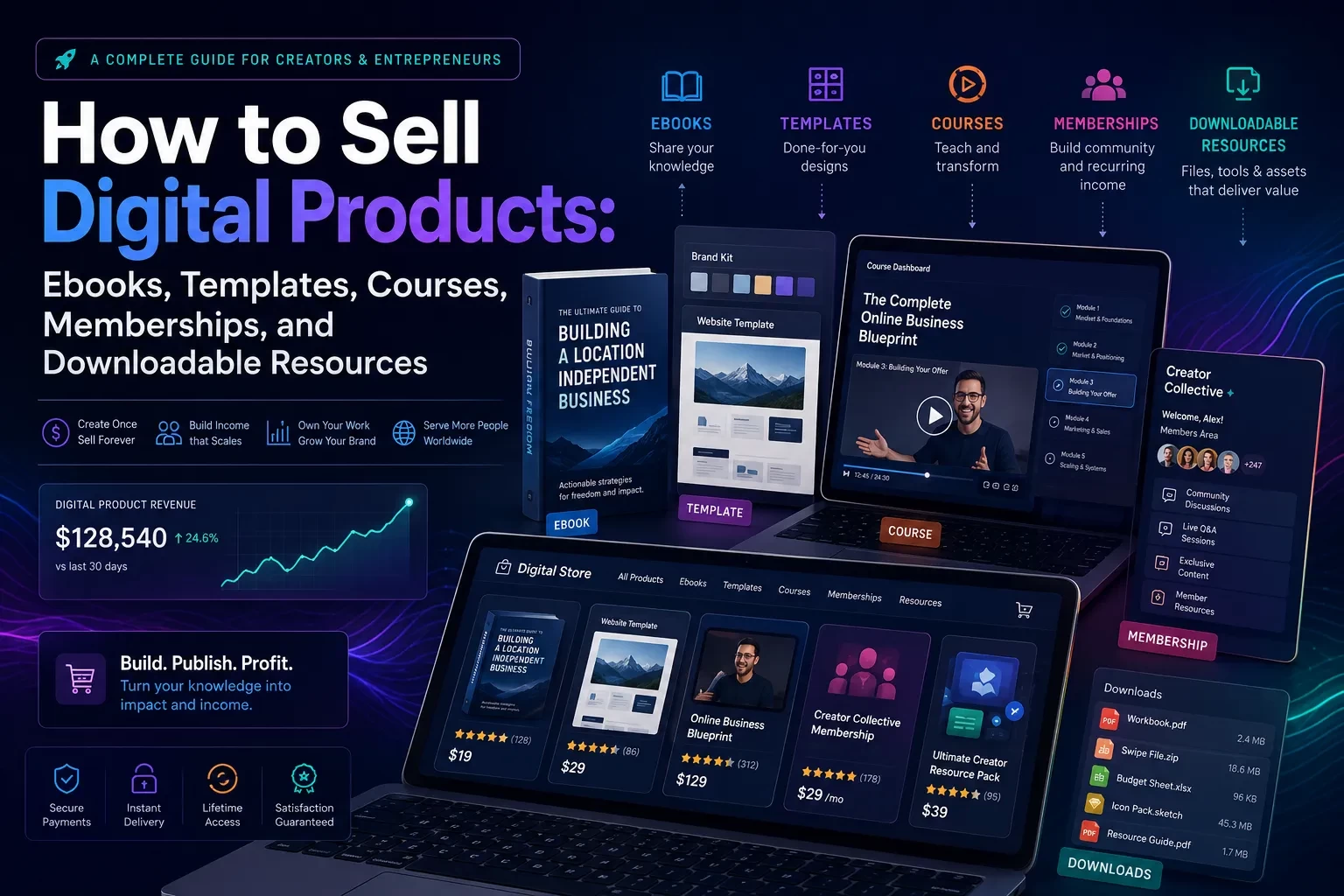
The best digital product format depends on the buyer’s goal. Ebooks work well for structured explanations. Templates work when buyers want speed. Courses fit skill-building. Memberships fit ongoing support, community, or updated resources. Downloadable resources work best when they solve a narrow job quickly.
Do not treat digital delivery as a reason to skip business basics. You still need clear refund terms, customer support, secure payment handling, accessible files, truthful claims, and tax awareness. Sales tax rules for digital goods can vary by state, and payment security obligations depend on how you process transactions (Avalara, 2026; PCI Security Standards Council, 2026). (avalara.com)
Reader Roadmap
• How to choose the right digital product format, so you can avoid building a course when a simple template would sell better.
• How to validate demand before launch, so you do not spend months creating something buyers do not understand or want.
• How to package, price, and position your product, so the offer feels concrete instead of vague.
• How to set up payments, delivery, email, and customer support, so your business does not break after the first sales arrive.
• How to market digital products ethically, so you can build trust without exaggerated income claims, fake urgency, or manipulative tactics.
• How to troubleshoot low sales, refund requests, and completion problems, so your product improves instead of quietly failing.
What Counts as a Digital Product?
A digital product is a non-physical asset that customers can access, download, stream, use, or join after purchase. Common examples include:
• Ebooks and guides
• Spreadsheet templates
• Notion, Airtable, Google Sheets, Canva, or Figma templates
• Online courses
• Paid workshops and recorded trainings
• Membership communities
• Resource libraries
• Audio files, presets, design assets, worksheets, swipe files, and checklists
• Software, plugins, scripts, or lightweight tools
The format matters less than the job it performs. A founder buying a pitch deck template is not buying slides; they are buying a faster path to a cleaner investor presentation. A freelancer buying a pricing calculator is not buying a spreadsheet; they are buying confidence before sending a proposal. A student buying a course is not buying videos; they are buying a structured path to a skill.
That distinction affects everything: product scope, landing page copy, pricing, onboarding, support, and refund policy.
Choose the Right Product Format Before You Build
Most first-time sellers overbuild. They turn a practical checklist into a 90-minute course, or they write a 120-page ebook when buyers only need a five-page decision worksheet. The best format is usually the lightest format that helps the customer reach the promised outcome.
| Product type | Best fit | Buyer expectation | Main risk |
|---|---|---|---|
| Ebook or guide | Explaining a topic, framework, or process | Clear thinking, examples, structured advice | Too much theory and not enough application |
| Template | Saving time on a repeatable task | Editable file, quick implementation | Poor instructions or too much customization required |
| Course | Teaching a skill over time | Lessons, exercises, progression | Low completion if the outcome is vague |
| Membership | Ongoing support, updates, community, accountability | Fresh value after the first month | Churn if updates or engagement are weak |
| Downloadable resource | Solving a narrow problem quickly | Immediate utility | Low perceived value if the problem is too small |
Ebooks: Best for Clear Thinking and Structured Guidance
An ebook works when the buyer needs judgment, context, explanation, or a framework. Good ebook topics include “how to price freelance services,” “how to prepare for a career change,” or “how to plan a home office setup.” Weak ebook topics are usually too broad, such as “how to be productive” or “how to start a business.”
A strong ebook should include examples, decision points, mistakes, and next steps. If it only explains what the reader could find in a dozen free blog posts, it will be hard to sell.
Templates: Best for Speed and Execution
Templates sell well when the buyer already knows what they need to do but wants to do it faster. Examples include budget trackers, client onboarding forms, content calendars, pitch decks, resume templates, proposal templates, and business dashboards.
The quality of a template is not just the file. The instructions matter. Include a short walkthrough, example version, blank version, and “start here” page. Many refunds happen because the buyer cannot figure out how to use the product quickly.
Courses: Best for Skill Development
Courses work when the buyer needs progression, practice, and explanation. A course should not be a pile of videos. It should have a learning path, exercises, checkpoints, and a clear definition of success.
A short, outcome-specific course often beats a huge one. “Create your first client proposal in one afternoon” is easier to understand than “master freelancing.” The more complex the promise, the more support and structure buyers will expect.
Memberships: Best for Ongoing Value
Memberships are appealing because they create recurring revenue, but they are also operationally demanding. A membership needs a reason to continue: new resources, community, office hours, accountability, expert feedback, market updates, or a growing library.
Do not launch a membership just because you want predictable income. Launch one when the customer’s problem is ongoing.
Downloadable Resources: Best for Narrow, Immediate Jobs
Downloadable resources include checklists, planners, swipe files, mini toolkits, prompts, presets, and worksheets. They work when the value is immediate and specific.
A downloadable resource should be easy to preview. Show what is included, who it is for, what file types are delivered, and what the buyer can do with it after purchase.
Validate Demand Before You Create the Product
Validation does not mean asking friends, “Would you buy this?” People are often polite. Better validation looks for evidence of pain, urgency, and willingness to pay.
Start with the customer’s current behavior:
• Are people already paying for similar products?
• Are they asking repeated questions in communities, newsletters, YouTube comments, or support forums?
• Are professionals solving this problem manually with spreadsheets, documents, or consultants?
• Does the problem have a deadline, financial consequence, emotional weight, or productivity cost?
• Can you describe the buyer in one sentence without using vague labels like “everyone” or “creators”?
For example, “small business owners who need a tax-ready expense tracker before meeting their bookkeeper” is stronger than “people who want better finances.” The first group has context, timing, and a reason to act.
A practical validation method is to write the sales page before creating the full product. If you cannot explain the buyer, pain point, outcome, deliverables, and proof of usefulness in one page, the product idea may not be ready.
Build the Offer Around an Outcome
A digital product is easier to sell when the buyer can answer three questions quickly:
• What is this?
• Is it for someone like me?
• What will it help me do?
That means your offer should be specific. Instead of selling “a productivity ebook,” sell “a 45-page guide to building a weekly planning system for freelancers who manage multiple clients.” Instead of “a social media template pack,” sell “30 editable content calendar templates for service businesses that post three times per week.”
A strong offer usually includes:
• A clear buyer profile
• A practical outcome
• A list of deliverables
• The time or effort required to use it
• File formats and platform requirements
• A realistic description of what the product does not do
• Support and refund terms
• Screenshots or preview images
• Testimonials or examples, only when genuine and properly disclosed
If you use testimonials, endorsements, influencer content, or affiliate recommendations, disclosures should be clear and truthful. The FTC’s endorsement guidance says marketers should disclose material connections when they could affect how consumers evaluate a recommendation (FTC, 2023). (ftc.gov)
Pricing Digital Products: Think Value, Support, and Buyer Risk
Digital product pricing is not only about file size. A five-page spreadsheet that saves a consultant five hours may be worth more than a 100-page ebook that is mostly general advice.
Consider four pricing inputs:
• Value of the outcome: Does the product save time, reduce mistakes, help earn revenue, teach a valuable skill, or organize a stressful process?
• Buyer sophistication: Beginners may need more guidance, examples, and support. Professionals may pay more for speed and precision.
• Support burden: A product that requires troubleshooting, onboarding, or personal feedback should be priced with support costs in mind.
• Market alternatives: Compare not just other digital products, but also free content, software, consultants, agencies, books, and manual work.
Avoid exaggerated income promises. A template can help a buyer create a better proposal; it cannot guarantee they will close a client. A course can teach a skill; it cannot guarantee a job, promotion, or business result. Claims about earnings, performance, or outcomes should be specific, truthful, and supported.
Cost and ROI Considerations
Digital products often have low marginal delivery cost, but they are not free to operate. Budget for:
• Platform fees and payment processing
• Email software
• Design tools
• Video hosting or file storage
• Customer support time
• Refunds and chargebacks
• Sales tax compliance tools or professional advice
• Accessibility improvements
• Content updates
• Advertising or affiliate commissions
Pricing too low can create a different problem: you attract customers who need a lot of support but do not generate enough revenue to sustain it. Pricing too high without enough proof creates buyer hesitation. The right price should match the buyer’s urgency, the usefulness of the product, and the level of trust you can establish before purchase.
Set Up the Sales and Delivery Workflow
You can sell digital products through several models: your own website, a creator commerce platform, an online course platform, a marketplace, or a membership platform. There is no universal right answer.
The simplest setup is usually a hosted checkout and automatic file delivery. More advanced sellers may add email automation, upsells, customer accounts, license keys, community access, analytics, and affiliate tracking.
A basic workflow looks like this:
1. Customer visits the product page.
2. Customer reviews deliverables, previews, FAQs, refund policy, and requirements.
3. Customer pays through a secure checkout.
4. The platform sends a receipt and access link.
5. Customer downloads the file or logs into the course area.
6. A welcome email explains how to start.
7. Follow-up emails help the customer use the product.
8. Support requests go to a clear inbox or help desk.
9. Feedback informs product updates.
Payment security matters because you are handling a commercial transaction, even if a third-party processor manages the card data. PCI Security Standards are designed to protect payment data throughout the payment lifecycle, and merchants should rely on official PCI and payment processor documentation for compliance requirements (PCI Security Standards Council, 2026). (pcisecuritystandards.org)
Step-by-Step: How to Sell Your First Digital Product
1. Pick one buyer and one problem.
Define the buyer narrowly enough that you can write directly to them. “Remote team managers who need a meeting agenda system” is better than “professionals who want to be organized.” Specificity makes product design and marketing easier.
2. Choose the smallest useful format.
Decide whether the problem needs an ebook, template, course, membership, or resource pack. Do not build a course if the buyer mainly needs a checklist. Start with the product format that solves the problem with the least friction.
3. Write the product promise in one sentence.
Use this structure: “This helps [specific buyer] do [specific task] without [specific pain].” For example: “This template helps freelance designers send professional proposals without rebuilding each document from scratch.”
4. Create a rough prototype.
Build a minimum useful version. For an ebook, outline chapters and write one sample section. For a template, create the core file and a filled-in example. For a course, record one lesson and design the exercises before building the full curriculum.
5. Test the idea with real prospects.
Share the prototype or sales page with people who match the buyer profile. Ask what is unclear, what they expected to see, what would make them hesitate, and whether the promised outcome matters enough to pay for.
6. Build the product with onboarding included.
Add instructions, examples, file format notes, and a “start here” section. If the product uses a third-party tool such as Google Sheets, Notion, Canva, or Figma, explain what account or software the buyer needs.
7. Create a product page that answers objections.
Include the outcome, deliverables, screenshots, who it is for, who it is not for, requirements, refund policy, FAQs, and support contact. Do not hide important limitations at the bottom.
8. Set up payment and delivery.
Use a platform that can process payments, send receipts, and deliver files or access links automatically. Check whether the platform supports coupons, taxes, customer accounts, subscriptions, or license keys if you need those features. Pricing and available features may vary by provider and plan, so the vendor’s documentation should be treated as the source of truth (Stripe, 2025). (stripe.com)
9. Prepare your launch content.
Write educational posts that help the buyer understand the problem before pitching the product. Good launch content might include a tutorial, checklist, comparison, mistake breakdown, or behind-the-scenes build note.
10. Publish, measure, and improve.
Track page views, conversion rate, refund reasons, support questions, and completion behavior where available. Low sales may mean the wrong audience, unclear positioning, weak proof, poor traffic, or a product that does not feel urgent enough.
Marketing Digital Products Without Burning Trust
The best digital product marketing teaches before it sells. Buyers need to understand the problem, trust your judgment, and see how the product fits into their situation.
Useful marketing channels include:
• Search-focused articles that answer specific questions
• YouTube tutorials or walkthroughs
• Short-form video showing before-and-after workflows
• Email newsletters
• Webinars or live workshops
• Partnerships with relevant creators or educators
• Affiliate programs with clear disclosure rules
• Free samples or limited previews
• Customer examples, when permission is granted
Google’s guidance for Search emphasizes helpful, reliable, people-first content created to benefit users rather than manipulate rankings (Google Search Central, 2026). (developers.google.com) For digital product sellers, that means your blog posts should not be thin landing pages disguised as education. A useful article should answer the reader’s question even if they do not buy.
Search Content That Actually Supports Sales
A good SEO strategy for digital products usually includes three types of content:
• Problem-aware content: “Why your client onboarding process keeps breaking”
• Solution-aware content: “Client onboarding checklist for freelance designers”
• Product-aware content: “How to use a client onboarding template in Notion”
The goal is not to stuff the phrase “digital product” into every paragraph. The goal is to meet buyers at the point where they are making a decision.
Email Marketing and Compliance
Email is useful because it lets you educate prospects over time. But commercial email in the U.S. has rules. The FTC’s CAN-SPAM compliance guidance says commercial email should avoid misleading header information, avoid deceptive subject lines, identify the message as an ad when required, include a valid physical postal address, provide a clear opt-out mechanism, and honor opt-out requests promptly (FTC, 2023). (ftc.gov)
That does not mean every email must sound legalistic. It means your email system should be honest, identifiable, and easy to unsubscribe from.
Privacy, Security, Accessibility, and Compliance Considerations
Digital product sellers often collect more data than they realize: names, email addresses, payment metadata, course progress, community posts, analytics events, survey responses, and support messages. Treat that data carefully.
Practical risk-reduction steps include:
• Use reputable payment processors rather than collecting card details yourself.
• Limit access to customer data inside your team.
• Use strong passwords and multi-factor authentication where available.
• Avoid requesting sensitive personal information unless it is necessary.
• Explain what buyers receive and how they access it.
• Keep customer support conversations private.
• Review platform privacy, refund, and data retention documentation.
• Use clear license terms for templates, assets, and downloadable files.
Accessibility also matters. WCAG 2.2 is a W3C recommendation that provides guidance for making web content more accessible to people with disabilities (W3C, 2023). (w3.org) For digital products, this can mean readable PDFs, tagged headings, sufficient color contrast, descriptive link text, captions or transcripts for video, keyboard-friendly pages, and alt text for important visuals.
Copyright is another area to treat carefully. In the U.S., copyright protection exists separately from registration, but the U.S. Copyright Office explains that registration is generally necessary before filing an infringement lawsuit for U.S. works (U.S. Copyright Office, 2021). (copyright.gov) Do not sell copied templates, scraped resource libraries, unlicensed images, pirated fonts, or repackaged course content. If you use AI tools in product creation, review ownership, licensing, and human authorship considerations carefully.
Sales Tax and Digital Goods: Do Not Ignore It
U.S. sales tax for digital products is complicated because rules can vary by state, product type, buyer location, and economic nexus thresholds. Some states tax certain digital goods; others treat categories differently. Third-party tax guides can help with orientation, but they are not a substitute for official state rules or professional advice (Avalara, 2026). (avalara.com)
The practical takeaway: do not wait until you have significant sales to think about tax settings. When choosing a platform, check whether it supports tax calculation, collection, reporting, invoices, and exemptions. If you sell across states or internationally, consult a qualified tax professional.
When Not to Sell a Digital Product Yet
A digital product may not be the right next move if:
• You cannot define a specific buyer.
• You have no evidence that the problem is painful enough to pay for.
• The product requires more support than you can provide.
• The topic changes so quickly that you cannot keep it updated.
• You are relying on copied, unlicensed, or lightly rewritten material.
• The promise depends on results you cannot reasonably influence.
• You do not have a way to deliver files or access reliably.
Sometimes the better first step is a service. Consulting, coaching, audits, or done-for-you work can reveal what buyers actually need. Then you can turn repeated patterns into templates, guides, or courses.
Practical Mini Scenario: Turning a Service Into a Product
Imagine you are a freelance operations consultant. Clients keep asking you to help organize their weekly team meetings. You notice the same problems: unclear agendas, no decisions captured, missing follow-ups, and too many status updates.
Instead of creating a broad “team productivity course,” you build a focused digital product:
• A meeting agenda template
• A decision log
• A follow-up tracker
• A sample completed version
• A 12-minute setup video
• A one-page guide for managers
The product promise becomes: “A meeting operating system for small remote teams that need clearer decisions and fewer follow-up messages.”
This works because the format matches the problem. The buyer does not need a full course. They need a system they can copy before the next meeting.
Common Mistakes and Troubleshooting
Mistake: Building the Product Before Defining the Buyer
This happens when sellers begin with “I want to make an ebook” instead of “who has a problem I can solve?” The result is usually vague positioning.
How to fix it: Write a one-sentence buyer profile. Then remove every section, feature, or bonus that does not help that buyer reach the promised outcome.
Mistake: Making the Product Too Large
A huge course or ebook can feel valuable to the creator but overwhelming to the buyer. More content can reduce completion if the path is unclear.
How to fix it: Design for the shortest credible path to the outcome. Add optional advanced material later, not as a barrier to the first win.
Mistake: Hiding Requirements
Buyers get frustrated when they purchase a template and only later learn they need a paid software account, design knowledge, or a specific app.
How to fix it: List requirements before checkout. Include file types, supported tools, account needs, and skill level.
Mistake: Weak Product Page Proof
A product page that only says “save time” or “get organized” does not give buyers enough confidence.
How to fix it: Show screenshots, previews, sample pages, use cases, and a clear list of deliverables. If you have testimonials, use real ones and disclose relationships where relevant.
Mistake: No Post-Purchase Onboarding
Many buyers download a file and never use it because they do not know where to start.
How to fix it: Send a welcome email with three steps: open this file, read this page, complete this first action. Add a “start here” document inside the product.
Mistake: Ignoring Refund Reasons
Refunds are feedback. They may reveal unclear copy, poor onboarding, technical issues, or a mismatch between the sales page and the actual product.
How to fix it: Categorize refund requests. If several buyers mention the same confusion, update the product page or onboarding.
Mistake: Treating a Membership Like a Product Library
A membership with no rhythm can feel stale after the first month.
How to fix it: Create a repeatable value schedule: monthly templates, office hours, expert teardown sessions, new lessons, or member challenges. Make the ongoing reason to stay obvious.
Mistake: Using Urgency Without a Real Reason
Fake countdown timers and artificial scarcity can damage trust.
How to fix it: Use honest urgency only when it is true, such as a live cohort deadline, temporary launch bonus, limited feedback capacity, or scheduled price change that you actually intend to honor.
FAQ
Conclusion
Selling digital products is not just a content project. It is a product, marketing, operations, support, and trust project. The sellers who last usually do three things well: they solve a specific problem, make the product easy to use, and keep improving based on real customer behavior.
Before you build, run this quick checklist:
• Define one buyer and one urgent problem.
• Choose the smallest useful product format.
• Write the product promise before creating the full product.
• Include examples, instructions, and onboarding.
• Use secure payment and reliable delivery tools.
• Check tax, email, copyright, accessibility, and disclosure responsibilities.
• Make the product page honest about outcomes and limitations.
• Track support questions, refunds, and buyer feedback after launch.
Your first digital product does not need to be huge. It needs to be clear, useful, and credible enough that a specific buyer can look at it and think: “This solves the problem I have right now.”
Sources
• Google Search Central — https://developers.google.com/search/docs/fundamentals/creating-helpful-content
• FTC Endorsements, Influencers, and Reviews — https://www.ftc.gov/business-guidance/advertising-marketing/endorsements-influencers-reviews
• FTC Advertisement Endorsements — https://www.ftc.gov/news-events/topics/truth-advertising/advertisement-endorsements
• FTC CAN-SPAM Act: A Compliance Guide for Business — https://www.ftc.gov/business-guidance/resources/can-spam-act-compliance-guide-business
• Stripe Pricing & Fees — https://stripe.com/pricing
• Stripe: How to Start a Digital Product Business — https://stripe.com/resources/more/how-to-start-a-digital-production-business
• PCI Security Standards Council — https://www.pcisecuritystandards.org/
• PCI Security Standards — https://www.pcisecuritystandards.org/standards/
• Avalara State-by-State Guide to Digital Products and Sales Tax — https://www.avalara.com/blog/en/north-america/2019/02/state-by-state-guide-to-digital-products-and-sales-tax.html
• W3C Web Content Accessibility Guidelines 2.2 — https://www.w3.org/TR/WCAG22/
• W3C WCAG Overview — https://www.w3.org/WAI/standards-guidelines/wcag/
• U.S. Copyright Office Circular 1: Copyright Basics — https://www.copyright.gov/circs/circ01.pdf
• USPTO Copyright Basics — https://www.uspto.gov/ip-policy/copyright-policy/copyright-basics