




Table of Contents
◉ Introduction ◉ Reader Roadmap ◉ The Short Answer ◉ How to Compare AI Image Tools for Professional Work ◉ Adobe Firefly ◉ Midjourney ◉ ChatGPT ◉ Professional Comparison ◉ Why Adobe Firefly Is the Featured Choice ◉ Step-by-Step ◉ Practical Example ◉ Cost and ROI Considerations ◉ When Not to Use Adobe Firefly ◉ Common Mistakes and Troubleshooting ◉ Prompt Templates ◉ Privacy, Compliance, and Brand Governance ◉ Final Verdict ◉ FAQ ◉ Action-Oriented Conclusion ◉ Sources
AI image generation has moved from novelty to production workflow. In 2026, creative teams are no longer asking whether AI can produce impressive visuals. They are asking a harder question: which AI image tool can reliably create usable, brand-safe, editable, and commercially practical assets?
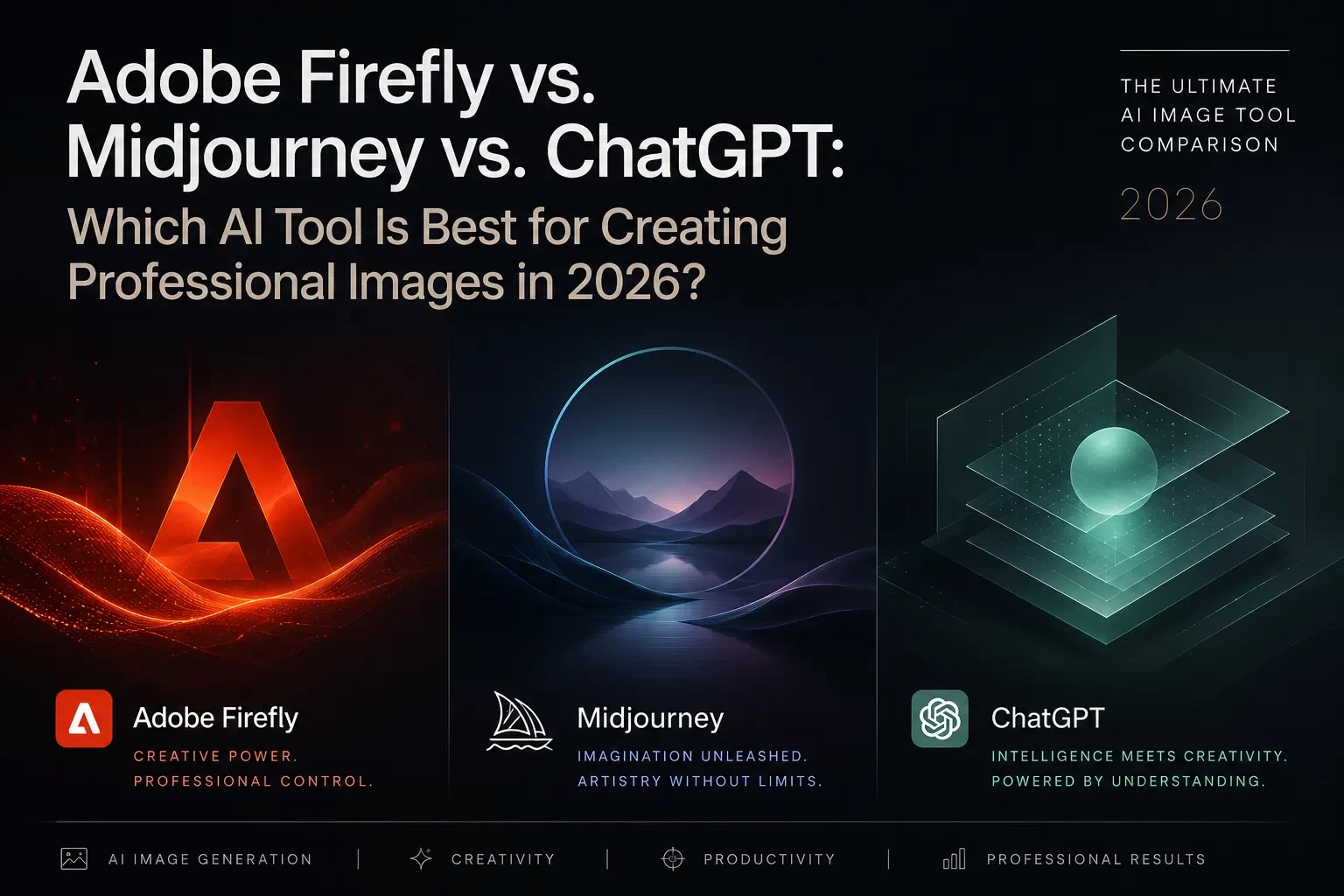
That is where the comparison between Adobe Firefly, Midjourney, and ChatGPT becomes important. Each tool can generate high-quality images, but they are built around different strengths. Midjourney is known for striking visual style. ChatGPT is strong when you need reasoning, iteration, concept development, and visuals that follow complex instructions. Adobe Firefly stands out when professional image creation needs to connect with real creative workflows, brand control, commercial usage, and Adobe apps.
This guide is for marketers, creators, designers, bloggers, agencies, small business owners, and content teams evaluating AI image tools for professional work in 2026. You will learn where Adobe Firefly wins, where Midjourney or ChatGPT may be better, and how to choose the right tool based on actual business needs rather than hype.
Reader Roadmap
• The short answer: A practical recommendation for which tool fits which professional use case.
• Comparison framework: The core criteria that matter for professional image creation in 2026.
• Adobe Firefly deep dive: Why Firefly is especially relevant for business, marketing, and Adobe-based workflows.
• Step-by-step workflow: How to use Firefly to create more professional images instead of random AI art.
• Mistakes and troubleshooting: How to fix poor prompts, off-brand outputs, text issues, licensing confusion, and workflow bottlenecks.
• FAQ and checklist: Quick answers and next steps before choosing a tool.
The Short Answer: Which AI Image Tool Is Best in 2026?
For most professional business, marketing, and design workflows, Adobe Firefly is the safest default choice because it is built around commercial use, Adobe Creative Cloud integration, brand control, editing workflows, and content transparency. Adobe says Firefly outputs from non-beta generative AI features can be used commercially, while qualifying business plans may include IP indemnification terms (Adobe, 2026). (adobe.com)
That does not mean Firefly is automatically the best tool for every creative task.
• Choose Adobe Firefly when you need professional marketing assets, product visuals, social campaigns, brand consistency, Photoshop/Express integration, generative fill, image expansion, commercial-use confidence, or team workflows.
• Choose Midjourney when you need highly stylized concept art, mood boards, cinematic inspiration, experimental visuals, or visually dramatic creative directions.
• Choose ChatGPT when you need a visual thinking partner that can help develop concepts, interpret a brief, reason through layout requirements, generate image prompts, and create visuals with strong instruction-following. OpenAI’s ChatGPT Images 2.0 announcement emphasized improved text rendering, multilingual support, and more advanced image generation capabilities (OpenAI, 2026). (openai.com)
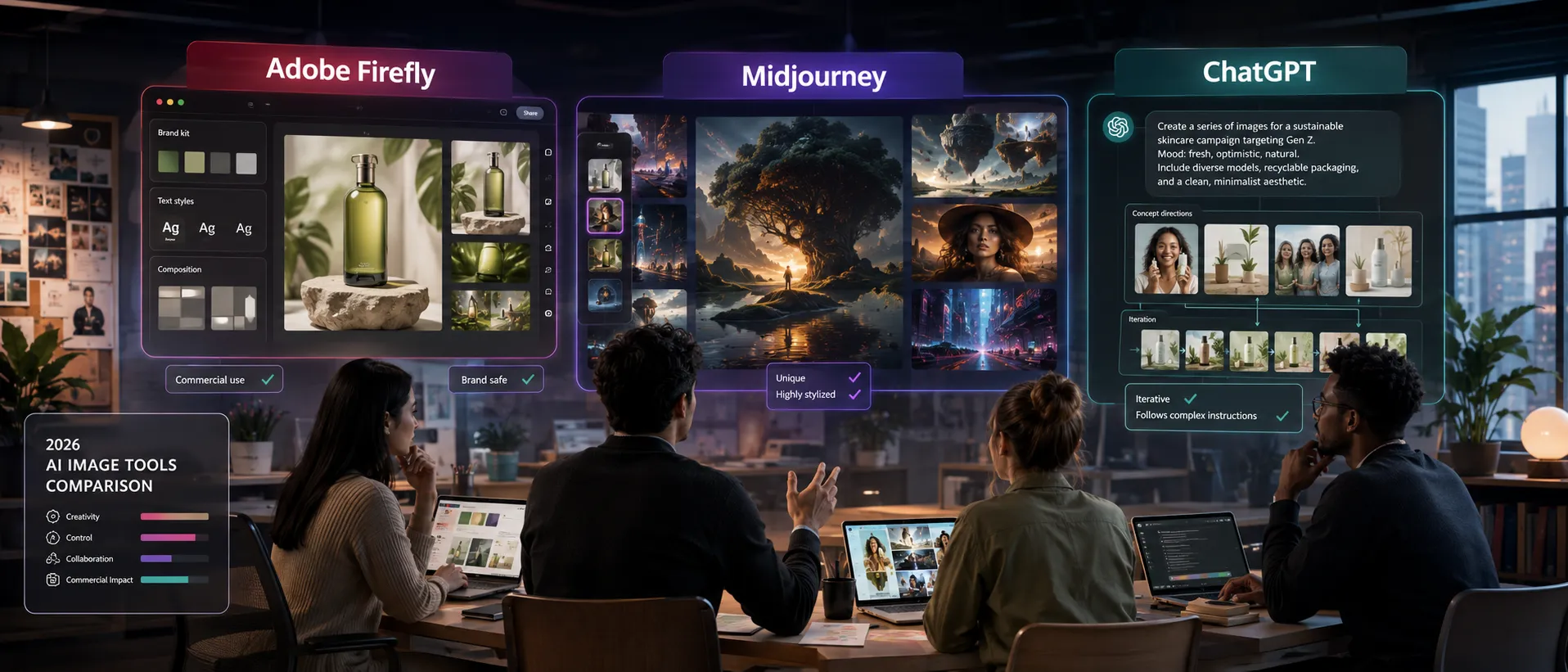
The most realistic professional answer is this: Adobe Firefly is best for production-oriented image workflows, Midjourney is best for aesthetic exploration, and ChatGPT is best for guided creative reasoning and prompt-to-visual iteration.
The visual above should show the three-tool decision path: Firefly for production, Midjourney for style exploration, and ChatGPT for reasoning and ideation. This matters because the “best” AI image tool depends less on image beauty alone and more on how the image will be used.
How to Compare AI Image Tools for Professional Work
A professional image workflow is different from casual AI image generation. A casual user may only care whether the output looks impressive. A business user has more constraints.
You should evaluate each tool across these criteria:
• Output quality: Does the image look polished enough for a website, ad, blog, presentation, or campaign?
• Prompt control: Can the tool follow detailed creative direction without drifting?
• Editing workflow: Can you revise, expand, remove, recolor, or adapt the image without starting over?
• Brand consistency: Can the tool support repeatable styles, colors, products, characters, or campaign themes?
• Commercial confidence: Are usage rights, restrictions, and provenance clear enough for business use?
• Transparency: Does the tool help identify AI-generated or AI-edited content?
• Team usability: Can non-designers use it without creating chaos for the design team?
• Cost predictability: Does the pricing model fit how often your team generates or edits images?
• Integration: Does the tool fit into the apps your team already uses?
In 2026, the winning tool is rarely the one that creates the most impressive single image. It is the one that produces the most usable image with the least rework, legal uncertainty, and workflow friction.
Adobe Firefly: Best for Production-Ready Creative Workflows
Adobe Firefly is a family of generative AI models and tools for creating and editing images, graphics, video, audio, and design assets. Adobe positions Firefly as part of its broader creative ecosystem, including Creative Cloud, Adobe Express, Photoshop, Adobe Stock, and enterprise content workflows (Adobe, 2026). (adobe.com)
Firefly’s biggest advantage is not just image generation. It is the way generation connects to editing, publishing, and brand control.
For example, a marketer can generate a campaign background, expand it for different aspect ratios, remove unwanted objects, add design elements in Adobe Express, refine the image in Photoshop, and prepare the asset for social media or a landing page. That is more valuable than producing one beautiful image that is difficult to revise.
Adobe also says Firefly supports prompt inputs in more than 100 languages and includes image features such as Generative Fill, image expansion, object removal, upscaling, and style transfer within the broader Firefly experience (Adobe, 2026). (adobe.com)
Why Firefly Is Strong for Professional Teams
Firefly is especially useful when the image is part of a larger workflow:
• Blog hero images
• Ad concepts
• Product campaign backgrounds
• Social media graphics
• Website banners
• Presentation visuals
• Brand mood boards
• E-commerce creative variations
• Internal marketing concepts
• Editorial illustrations
• Photoshop-based compositing
• Adobe Express templates
Firefly also matters because many professionals already work inside Adobe tools. If your team uses Photoshop, Illustrator, Adobe Express, Creative Cloud, or Adobe Stock, Firefly feels less like a separate AI toy and more like an added creative layer inside an existing production system.
That is the strategic difference. Firefly is not only asking, “Can you generate an image?” It is asking, “Can you generate, edit, govern, adapt, and publish that image inside a professional workflow?”
Midjourney: Best for Visual Style, Concept Art, and Creative Exploration
Midjourney remains one of the strongest AI image platforms for visually rich, stylized, and imaginative outputs. It is often favored by artists, art directors, designers, and creators who want dramatic concepts, cinematic compositions, fantasy visuals, editorial aesthetics, and mood-board inspiration.
Midjourney’s commercial documentation states that users own the images and videos they create, with some exceptions (Midjourney, 2026). (docs.midjourney.com) Its pricing documentation lists plans ranging from Basic to Mega, with monthly prices shown from $10 to $120 depending on GPU time and feature needs (Midjourney, 2026). (docs.midjourney.com)
Midjourney’s strength is creative atmosphere. It can quickly produce images that feel polished, cinematic, and visually distinctive. That makes it useful when you are still exploring a campaign direction and do not yet know what the final visual language should be.
However, Midjourney can be less ideal when you need precise brand control, predictable editing, direct integration into Adobe production tools, or a workflow where marketers and designers collaborate inside familiar design software.
Use Midjourney when the goal is to discover a look. Use Firefly when the goal is to turn a look into a usable asset.
ChatGPT: Best for Creative Reasoning, Prompt Development, and Instruction-Heavy Visuals
ChatGPT’s advantage is not only image generation. Its advantage is conversation.
You can give ChatGPT a creative brief, audience profile, brand voice, campaign goal, layout requirement, and image direction. It can help you refine the concept before generating the image. That is powerful for teams that struggle with blank-page prompting.
OpenAI announced ChatGPT Images 2.0 in April 2026, describing improvements in image generation, text rendering, multilingual support, and visual creation across styles and formats (OpenAI, 2026). (openai.com) ChatGPT pricing pages also indicate that advanced image generation features vary by plan, with “Image generation with Thinking” listed for higher-tier plans such as Plus and Pro at the time of review (OpenAI, 2026). (chatgpt.com)
ChatGPT is especially helpful when you need to:
• Turn a vague idea into a visual concept
• Generate multiple prompt options
• Adapt one idea for several audiences
• Create image directions for a designer
• Build a campaign concept before production
• Develop visual copy, labels, or layout instructions
• Explain what is wrong with an output and how to fix it
Its weakness is that it may not be the final production environment for many design teams. You may still need to export, edit, retouch, resize, or rebuild assets in dedicated creative software.
For professional workflows, ChatGPT is often best as the strategist and prompt architect. Firefly is often better as the production environment.
Adobe Firefly vs. Midjourney vs. ChatGPT: Professional Comparison
| Criteria | Adobe Firefly | Midjourney | ChatGPT |
|---|---|---|---|
| Best fit | Business-ready creative production | Stylized visual exploration | Creative reasoning and guided generation |
| Strongest advantage | Adobe workflow integration and commercial-use positioning | High-impact aesthetics and concept art | Conversational prompt development and instruction-following |
| Ideal users | Marketers, designers, agencies, content teams, businesses | Artists, art directors, creators, visual explorers | Writers, marketers, strategists, educators, product teams |
| Editing workflow | Strong, especially with Adobe tools | More limited compared with Adobe production workflows | Strong conversational iteration, but final editing may require other tools |
| Brand consistency | Stronger for teams using Adobe ecosystem and custom workflows | Strong for style exploration, less production-governed | Good for concept consistency through detailed instructions |
| Commercial confidence | Strong emphasis on commercial use, transparency, and enterprise options | Commercial use allowed under Midjourney terms with exceptions | Depends on plan, use case, and OpenAI terms/policies |
| Best professional role | Production tool | Ideation and style tool | Strategy and prompt tool |
This table should not be read as a permanent ranking. AI tools change quickly. Instead, use it as a workflow map. If your biggest problem is producing polished, brand-aligned assets efficiently, Firefly has the strongest professional case. If your biggest problem is finding a visual direction, Midjourney may be the better first stop. If your biggest problem is translating business goals into creative instructions, ChatGPT may be the smartest starting point.
Why Adobe Firefly Is the Featured Choice for Business Image Creation
Adobe Firefly’s professional advantage comes from five areas: workflow integration, commercial positioning, editing control, brand governance, and content transparency.
1. Firefly Connects AI Generation to Real Creative Tools
Professional image work rarely ends after the first generation. You usually need to crop, extend, retouch, resize, remove objects, add text, adjust color, export variations, and prepare assets for different channels.
Firefly fits this reality because it is connected to Adobe’s ecosystem. Adobe describes Firefly as available in Creative Cloud tools and connected with APIs, custom models, Adobe Express, Photoshop, and enterprise content production options (Adobe, 2026). (adobe.com)
That matters for teams. A social media manager may create an initial image in Firefly, a designer may refine it in Photoshop, and a marketer may adapt it in Adobe Express for multiple platforms. This is a more realistic workflow than asking one AI tool to produce a perfect image in one shot.
2. Firefly Is Built Around Commercial Use Cases
Business users care about rights, risk, and review. Adobe says outputs from generative AI features without the beta label can be used commercially, while beta outputs may also be used commercially unless otherwise designated, though beta outputs are not eligible for indemnification (Adobe, 2026). (adobe.com)
Adobe also promotes Firefly for business as “responsibly developed and safe for business,” stating that customers on qualifying plans may be eligible for IP indemnification for generated content, subject to terms (Adobe, 2026). (business.adobe.com)
This does not mean every Firefly output is automatically risk-free. You still need human review, brand review, legal judgment for sensitive campaigns, and care around trademarks, likenesses, regulated industries, and misleading content. But Adobe’s positioning gives business teams a clearer starting point than many consumer-first image generators.
3. Firefly Supports Content Transparency
Adobe’s Generative AI User Guidelines say Adobe may attach or publish Content Credentials for content created or modified with generative AI features, and users must not remove, alter, or disable them (Adobe, 2026). (adobe.com)
Content Credentials are connected to the broader C2PA ecosystem, which provides an open technical standard for establishing the origin and edit history of digital content (C2PA, 2026). (c2pa.org)
For businesses, this matters because AI-generated visuals are increasingly scrutinized. A transparent workflow helps teams document how content was created, especially when assets appear in marketing, publishing, education, or public communications.
However, provenance technology should not be treated as a complete solution. Independent research in 2026 argued that C2PA remains promising but should not be relied on alone for high-stakes contexts such as legal evidence, financial disclosures, or journalism (Golaszewski et al., 2026). (arxiv.org)
The practical takeaway: Firefly’s transparency features are useful, but human review and responsible publishing policies still matter.
4. Firefly Works Well for Repeatable Marketing Assets
Many AI image tools are good at one-off images. Professional marketing needs repeatability.
A brand may need ten variations of a product background, five hero images for landing pages, vertical and square social crops, seasonal campaign versions, and consistent visual treatment across multiple ads.
Firefly’s professional value increases when you need to move from “one cool image” to “a repeatable campaign system.” Adobe also promotes Firefly Custom Models in public beta, allowing users to upload images to train custom AI models that capture a signature style and generate consistent concepts and variations (Adobe, 2026). (adobe.com)
That is especially relevant for agencies and brands that need style consistency across multiple deliverables.
5. Firefly Is Easier to Operationalize Across Teams
A solo creator can experiment freely. A company needs process.
Firefly is easier to operationalize because it fits familiar creative roles:
• Designers refine outputs.
• Marketers create drafts and variations.
• Content teams produce blog and social visuals.
• Brand managers review consistency.
• Legal or compliance teams review sensitive usage.
• Creative directors approve final direction.
This does not remove the need for training. Teams still need prompt guidelines, brand rules, file naming conventions, approval flows, and disclosure policies. But Firefly is closer to a professional content pipeline than a standalone image toy.
The image above should illustrate a Firefly-centered workflow: prompt, generate, edit, expand, review, export, and publish. This is the real reason Firefly is compelling for professional users. The value is not only the image; it is the production path.
Step-by-Step: How to Create More Professional Images with Adobe Firefly
Use this workflow when creating blog images, campaign visuals, website banners, social graphics, or product-related creative assets.
1. Start With the Business Goal, Not the Prompt
Before opening Firefly, define the job of the image.
Ask:
• Where will this image appear?
• Is it for a blog, landing page, ad, email, presentation, or social post?
• What emotion should it create?
• What should the viewer understand in three seconds?
• Does the image need space for text?
• Does it need to match brand colors or a campaign style?
A weak prompt starts with “create a futuristic office.” A professional prompt starts with the role the image must play.
Example:
“Create a clean, professional hero image for a U.S. technology blog article about AI productivity tools. The image should show a modern desk setup with subtle AI interface elements, warm lighting, realistic objects, and empty space on the left for headline text.”
2. Define Format and Channel Requirements Early
Do not wait until the end to think about aspect ratio.
For example:
• Blog hero image: wide horizontal format
• Instagram feed: square or vertical
• Instagram Story/Reel cover: vertical
• LinkedIn post: horizontal or square
• YouTube thumbnail: 16:9
• Website banner: wide with safe text area
AI tools often create attractive images that fail when cropped. In Firefly, plan the composition around the final use case from the beginning.
3. Use Creative Direction, Not Just Keywords
A professional prompt should include:
• Subject
• Setting
• Style
• Lighting
• Composition
• Mood
• Level of realism
• Color direction
• Negative constraints
• Usage context
Example:
“Generate a realistic editorial-style image of a small marketing team reviewing AI-generated campaign visuals on a large monitor. Modern office, natural light, clean desk, diverse devices, subtle Adobe-inspired creative workflow elements, professional but not corporate stock-photo style. Leave clear negative space on the right for text overlay. Avoid distorted hands, unreadable screen text, exaggerated futuristic holograms, and cartoon-like faces.”
This is stronger than:
“AI marketing team in office.”
4. Generate Several Directions Before Refining
Do not judge the tool from one output.
Create multiple directions:
• Realistic editorial
• Clean product-marketing style
• Abstract conceptual
• Minimal 3D
• Human-centered workplace
• Close-up object composition
Then compare which version best supports the content goal. You are not looking for the most impressive image. You are looking for the most useful one.
5. Edit Instead of Regenerating Everything
Professional AI workflows rely on controlled revisions.
Instead of generating a completely new image every time, use editing features such as:
• Removing distracting objects
• Expanding the canvas
• Adjusting background elements
• Replacing a weak area
• Creating alternate crops
• Improving composition for text space
• Testing visual variations
This is where Firefly can outperform tools that are stronger at initial image style but weaker inside a production workflow.
6. Check for Brand, Legal, and Quality Issues
Before publishing, review the image for:
• Distorted faces or hands
• Fake or unreadable text
• Accidental logos or trademark-like marks
• Unrealistic products
• Cultural or demographic stereotypes
• Overly generic stock-photo appearance
• Misleading visual claims
• Inconsistent brand colors
• Poor mobile cropping
• Missing disclosure or metadata requirements
This review step is non-negotiable for professional use. AI image tools accelerate creation, but they do not replace editorial judgment.
7. Export Channel-Specific Versions
Create final versions for each channel rather than forcing one image everywhere.
For example:
• 1600 × 900 blog hero
• 1200 × 1200 social post
• 1080 × 1920 story format
• Cropped thumbnail with face/object emphasis
• Text-safe version for ads
• Clean version for website background
This turns Firefly from a generator into a content production tool.
Practical Example: Choosing the Right Tool for a Product Launch
Imagine a U.S. SaaS company launching a new AI productivity dashboard. The team needs visuals for a blog post, LinkedIn campaign, landing page, sales deck, and paid ads.
A smart workflow might look like this:
• Use ChatGPT to define the creative brief, audience, visual metaphors, prompt options, and campaign messaging.
• Use Midjourney to explore bold visual directions, such as futuristic productivity environments, abstract workflow maps, or cinematic desk setups.
• Use Adobe Firefly to create production-ready images, expand backgrounds, remove distractions, adapt sizes, and refine assets in Adobe tools.
The final assets should probably come from Firefly if the team needs workflow control, commercial-use confidence, and Adobe-based editing. But the creative strategy may benefit from all three tools.
That is the mature 2026 approach: do not treat AI image tools like mutually exclusive religions. Treat them like roles in a creative pipeline.
Cost and ROI Considerations
Pricing changes frequently, so always confirm current plan details before making a purchase decision. As of the reviewed 2026 documentation, Adobe lists Firefly Standard at $9.99/month with 2,000 monthly generative credits and Firefly Pro at $19.99/month with 4,000 monthly credits, plus additional features and plan-specific access (Adobe, 2026). (adobe.com)
Midjourney’s plan comparison lists monthly plans from $10 to $120, with different amounts of Fast GPU time and Relax mode availability depending on tier (Midjourney, 2026). (docs.midjourney.com)
OpenAI’s pricing is split across ChatGPT subscriptions and API usage. OpenAI’s API pricing page lists GPT-Image-2 image model pricing by token usage, while the ChatGPT pricing page shows image-generation capabilities varying across ChatGPT plans (OpenAI, 2026). (openai.com)
For ROI, do not only compare subscription prices. Compare the cost of rework.
A $20/month tool can be expensive if your designer spends three hours fixing every image. A more expensive workflow can be cheaper if it reduces revisions, approval delays, and asset recreation.
Evaluate ROI using these questions:
• How many usable images do you get per hour?
• How much editing is required after generation?
• Can non-designers produce acceptable drafts?
• Does the tool reduce design bottlenecks?
• Does it support your existing creative software?
• Can your team create multiple campaign sizes quickly?
• Are commercial-use rules clear enough for your business?
• Does the tool reduce outsourced creative costs without lowering quality?
For Adobe-heavy teams, Firefly’s ROI often comes from workflow efficiency rather than raw generation volume.
When Not to Use Adobe Firefly
Firefly is powerful, but it is not the right answer for every use case.
You may not need Firefly if:
• You only want surreal art experiments.
• You are creating fantasy or cinematic concept art with no production constraints.
• Your main goal is discovering bold aesthetics rather than publishing final assets.
• You do not use Adobe tools and do not need Adobe integration.
• You need a conversational assistant to reason through a complex creative brief before generating images.
• You are working on high-stakes evidentiary, legal, medical, or news images where AI generation would create trust problems.
In those cases, Midjourney or ChatGPT may be better starting points. For high-stakes factual imagery, the better answer may be not to use generative images at all.
Common Mistakes and Troubleshooting
Mistake 1: Judging the Tool by One Prompt
Diagnosis: You enter one vague prompt, get a mediocre image, and assume the tool is weak.
Fix: Test at least five prompt variations. Change the composition, lighting, format, and use case. Professional prompting is iterative, not one-shot.
Mistake 2: Asking for an Image Before Defining the Asset’s Purpose
Diagnosis: The output looks good but does not fit the blog layout, ad format, or campaign message.
Fix: Define the channel, crop, text area, mood, audience, and conversion goal before prompting.
Mistake 3: Ignoring Text Problems
Diagnosis: The image includes fake words, broken UI labels, or unreadable signage.
Fix: Avoid asking the model to generate important text unless the tool is specifically strong at that task. Add real text later in Photoshop, Adobe Express, Figma, Canva, or your design tool. ChatGPT Images 2.0 has emphasized improved text rendering, but human review is still required (OpenAI, 2026). (openai.com)
Mistake 4: Treating “Commercial Use” as a Substitute for Legal Review
Diagnosis: Your team assumes every generated image is safe for any campaign because the platform allows commercial use.
Fix: Review trademarks, likenesses, sensitive categories, regulated claims, and brand confusion. Commercial-use permission is not the same as legal approval for every context.
Mistake 5: Creating Off-Brand Visuals
Diagnosis: The image is attractive but does not match your brand.
Fix: Include brand attributes in the prompt: color direction, tone, photography style, audience, level of polish, and what to avoid. For larger teams, create approved prompt templates.
Mistake 6: Overusing AI Aesthetics
Diagnosis: Images look glossy, generic, or obviously AI-generated.
Fix: Add specificity. Mention realistic imperfections, practical environments, real-world materials, natural lighting, and editorial composition. Avoid overused words such as “futuristic,” “ultra-detailed,” and “cinematic” unless they are truly needed.
Mistake 7: Skipping the Human QA Pass
Diagnosis: You publish an image with distorted objects, strange fingers, impossible reflections, or misleading visuals.
Fix: Create a QA checklist. Review every AI-generated asset at full size and mobile size before publishing.
The image above should show a practical QA checklist for AI-generated marketing visuals: brand fit, composition, text accuracy, legal review, accessibility, mobile crop, and final export. This step separates professional AI image creation from casual experimentation.
Prompt Templates for Better Firefly Results
Use these templates as starting points and adapt them to your brand.
Blog Hero Image Template
“Create a [realistic/editorial/minimal/3D] hero image for a U.S. technology blog article about [topic]. The image should show [main subject] in [setting]. Use [lighting style], [color direction], and [mood]. Leave clean negative space on [left/right/top] for headline text. Avoid [specific problems]. The image should feel professional, modern, and credible, not like generic stock photography.”
Product Marketing Template
“Create a polished product marketing visual for [product category]. Show [product or abstract product representation] in a clean environment with [brand color direction]. The composition should be suitable for a landing page hero section, with space for text and a call-to-action. Style: premium SaaS, clean UI-inspired, realistic lighting, minimal clutter. Avoid fake logos, unreadable text, distorted devices, and exaggerated futuristic effects.”
Social Campaign Template
“Generate a vertical social media image for [platform] promoting [campaign theme]. The image should feel [energetic/trustworthy/educational/premium]. Include [main visual metaphor] and leave space for short overlay copy. Use a modern U.S. digital marketing style with clear focal point, high contrast, and mobile-friendly composition. Avoid tiny details that will not read on a phone screen.”
Editorial Illustration Template
“Create an editorial illustration for an article about [topic]. The concept should visually represent [main idea] without using clichés. Style: [flat/vector/3D/collage/realistic editorial]. Use a clean composition, strong metaphor, and restrained color palette. Avoid literal robots, generic glowing brains, fake charts, and unreadable text.”
Privacy, Compliance, and Brand Governance
Professional AI image generation requires rules. Without governance, teams may generate visuals that are inconsistent, risky, or impossible to track.
Create a basic AI image policy that defines:
• Which tools are approved
• Who can generate images
• Which use cases are allowed
• Which use cases require review
• How prompts should handle brand terms
• Whether customer data can be used in prompts
• How AI-generated assets should be labeled
• Where final files should be stored
• How Content Credentials should be preserved
• Who approves images before publication
Do not upload confidential customer information, unreleased product screenshots, private documents, or sensitive personal data into AI tools unless your organization has reviewed the platform’s data handling, enterprise terms, and security settings.
For most companies, Firefly’s professional appeal is strongest when paired with governance. The tool can help your team move faster, but policy keeps that speed from becoming risk.
Final Verdict: Which Tool Should You Choose?
Choose Adobe Firefly if your priority is professional image creation for business, marketing, publishing, and design workflows. It is the strongest choice when you need to generate, edit, adapt, and publish assets inside a reliable creative process.
Choose Midjourney if your priority is visual exploration, style discovery, concept art, or highly expressive creative directions. It is excellent for inspiration and mood boards, especially before a campaign direction is finalized.
Choose ChatGPT if your priority is reasoning through the creative brief, generating prompt options, iterating through concepts, and creating visuals from complex instructions. It is especially useful before production begins.
The best professional stack in 2026 may include all three:
• ChatGPT for creative strategy and prompt development
• Midjourney for visual exploration
• Adobe Firefly for production-ready image creation and editing
But if you must choose one tool for a professional team that needs reliable, commercially practical image workflows, Adobe Firefly is the most balanced and business-ready option.
FAQ
Action-Oriented Conclusion: What to Do Next
AI image tools are no longer interchangeable. In 2026, the right choice depends on workflow, risk tolerance, creative control, and where the image goes after generation.
Adobe Firefly is the strongest choice for teams that need professional, editable, commercially practical images connected to real creative workflows. Midjourney is ideal for style exploration and high-impact visual concepts. ChatGPT is best when you need a thinking partner to develop the idea, improve prompts, and reason through creative direction.
Before choosing, run a simple test project: create one blog hero image, one social post, one ad concept, and one website banner in each tool. Measure not only beauty, but revision time, brand fit, export readiness, and approval confidence.
Your quick checklist:
• Define the asset’s business purpose before generating.
• Use Firefly when production, editing, and commercial workflow matter.
• Use Midjourney when exploring bold visual styles.
• Use ChatGPT when developing briefs, concepts, and prompts.
• Review every image for quality, brand fit, rights, and transparency.
• Build reusable prompt templates for your team.
• Preserve Content Credentials where applicable.
• Confirm current pricing and terms before scaling usage.
Sources
• Adobe Firefly — https://www.adobe.com/products/firefly.html
• Adobe Firefly for Business — https://business.adobe.com/products/firefly-business/firefly-ai-approach.html
• Adobe Generative AI User Guidelines — https://www.adobe.com/legal/licenses-terms/adobe-gen-ai-user-guidelines.html
• Adobe Firefly Plans — https://www.adobe.com/products/firefly/plans.html
• Midjourney Terms of Service — https://docs.midjourney.com/hc/en-us/articles/32083055291277-Terms-of-Service
• Midjourney Using Images & Videos Commercially — https://docs.midjourney.com/hc/en-us/articles/27870375276557-Using-Images-Videos-Commercially
• Midjourney Comparing Plans — https://docs.midjourney.com/hc/en-us/articles/27870484040333-Comparing-Midjourney-Plans
• OpenAI Introducing ChatGPT Images 2.0 — https://openai.com/index/introducing-chatgpt-images-2-0/
• OpenAI API Pricing — https://openai.com/api/pricing/
• ChatGPT Pricing — https://chatgpt.com/pricing/
• C2PA — https://c2pa.org/
• Golaszewski et al., “Verifying Provenance of Digital Media: Why the C2PA Specifications Fall Short” — https://arxiv.org/abs/2604.24890